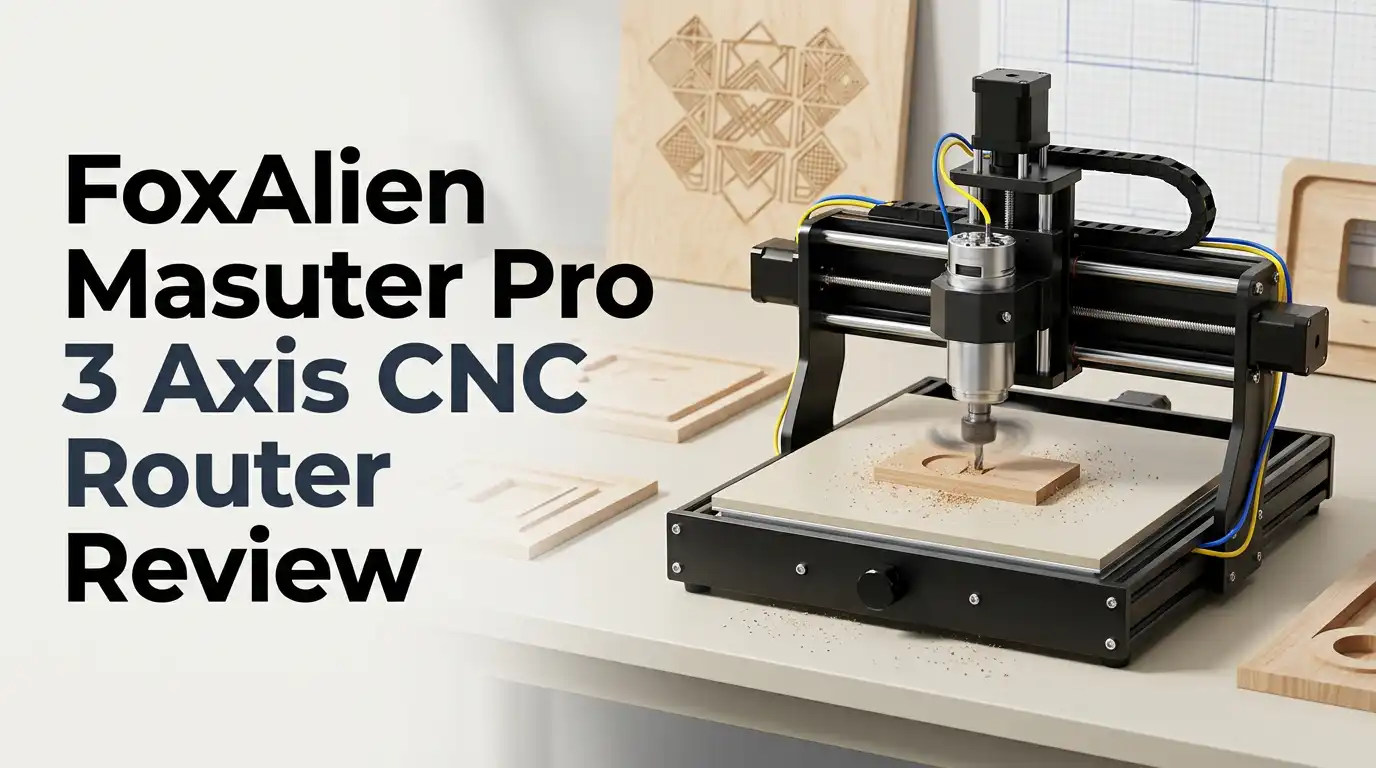
FoxAlien Masuter Pro 3 Axis CNC Router Review 2026: Still Worth It?
Buying your first CNC router feels like a big leap. You want a machine that cuts real material, survives daily use, and does not empty your bank account.
The FoxAlien Masuter Pro sits right in that sweet spot. It has been one of the most popular hobby CNC machines on Amazon for several years, and it still sells strongly in 2026.
This review covers the unboxing, the assembly, the real cutting results, and the honest weak spots that marketing pages skip. If you are deciding between this machine and a newer competitor, keep reading.
In a Nutshell:
- The work area is 15.75 inches by 15.75 inches by 2.36 inches. That equals 400mm x 400mm x 60mm of usable space. It handles signs, coasters, small furniture parts, and PCB work. It does not handle large cabinet doors or guitar bodies without the optional 4080 extension kit.
- The all aluminum frame feels solid for the price. FoxAlien uses extruded aluminum profiles with dual linear rails on the Z axis. That Z axis upgrade is the headline feature over the older Masuter, and it genuinely reduces chatter on vertical plunges.
- The stock 60W 775 spindle is the weakest link. It spins at 10000 RPM and works fine on soft wood. It struggles badly with hardwood and aluminum. Most owners swap to a 300W spindle or a Makita trim router within a few months.
- Assembly takes two to four hours. The machine arrives partly built. Instructions are picture based and mostly clear, though a few steps need a second look.
- Price sits near $549 on Amazon. That puts it against the Genmitsu 4040 PRO MAX and the Twotrees TTC450 Pro, both strong rivals in 2026.
- Best for patient hobbyists. If you enjoy tinkering and upgrading, you will love it. If you want plug and play production, look higher up the price ladder.
What Is the FoxAlien Masuter Pro?

Last update on 2026-10-21 / Affiliate links / Images from Amazon Product Advertising API
The FoxAlien Masuter Pro is a desktop 3 axis CNC router built for hobbyists, schools, and small workshops. It carves wood, acrylic, MDF, PCB board, soft plastics, and light aluminum. The frame uses all aluminum extrusion instead of the plastic or MDF parts you find on cheaper kits.
The machine runs on GRBL firmware through a 32 bit control board. That means it works with almost every popular CAM program. You send G code from your laptop over USB, or you use an optional offline controller.
The “Pro” badge mostly refers to the Z axis. FoxAlien added two linear rails there, replacing the single rail design of the original Masuter. That change improves rigidity where budget machines usually fail first. The spindle clamp also accepts both 52mm and 65mm tools, so you can bolt on a trim router or a laser module later.
Unboxing Experience and What Is Inside the Box
The box arrives heavy. Shipping weight lands around 13kg, and you feel every gram when you lift it onto a bench. FoxAlien packs everything in dense foam cutouts, which is reassuring. Nothing in my unit arrived bent or scratched.
Inside you find the preassembled gantry, two side rails, the aluminum base plate, the spindle with its clamp, the control box, the power brick, and a small parts tray. The tray holds bolts, T nuts, cable ties, a set of hex keys, a spare belt, and three collets.
FoxAlien also includes a small bundle of end mills and a USB drive with drivers, sample files, and a PDF manual. The included bits are serviceable but basic. Buy a proper set of upcut and downcut bits before your first serious project. The unboxing feels like a well organized kit rather than a budget flat pack, which sets a good first impression.
Assembly and Setup: How Hard Is It?
Assembly took me about three hours at a relaxed pace. An experienced builder could finish in ninety minutes. The gantry arrives built, so you mainly attach the side rails, square the frame, mount the spindle, and route the cables.
The manual uses exploded diagrams with very little text. That works well for most steps. Two spots caused me to pause: the belt tensioning on the Y axis and the limit switch wiring. Both are covered in FoxAlien video guides, so a quick search solves them.
Squaring the frame is the step that decides your cut quality. Take your time with a machinist square. A frame that is one degree out will haunt every project you cut. After assembly, you install the USB driver, connect through Candle or your chosen sender, and run a simple air job to confirm movement.
Build Quality and Frame Design
The all aluminum construction is the strongest selling point. Everything structural is metal, including the gantry sides, the base, and the spindle mount. There is no plywood or acrylic in the load path.
The Z axis rides on two linear guide rails with a lead screw drive. Under light loads it stays firm. The X and Y axes use V wheels on extrusion, which is standard at this price but less rigid than true linear rails.
Here is the honest limit. Under heavy load the gantry flexes, and users on hobby CNC forums report head deflection even at shallow depths of cut in metal. For wood that flex rarely matters. For aluminum it forces you into very conservative feeds and depths. The machine is well built for its class, but it is not a mill, and treating it like one leads to disappointment.
Top 3 Alternative for FoxAlien Masuter Pro

Last update on 2026-10-21 / Affiliate links / Images from Amazon Product Advertising API
SainSmart Genmitsu 4040 PRO MAX CNC Router with 710W Trimmer

Last update on 2026-10-21 / Affiliate links / Images from Amazon Product Advertising API
Twotrees TTC450 Pro All Metal CNC Router Machine

Last update on 2026-10-21 / Affiliate links / Images from Amazon Product Advertising API
FoxAlien XE PRO CNC Router Machine with Ball Screws and 400W Spindle
Cutting Performance on Wood and MDF
Wood is where this machine shines. Pine, poplar, basswood, and MDF all cut cleanly with the stock spindle. I ran 3D relief carvings, v carved signs, and simple box joints without drama.
My reliable settings for soft wood used a 1/8 inch two flute upcut bit, 1mm depth of cut, and roughly 800mm per minute feed rate. Surface finish came out smooth enough to sand lightly and finish.
Hardwood is a different story with the stock motor. Oak and maple force you to halve your depth of cut and slow the feed, which makes projects slow. Adding a Makita or DeWalt trim router transforms hardwood performance instantly.
The 65mm clamp is already there for exactly that reason. With a trim router fitted, the Masuter Pro cuts hardwood at respectable speeds and produces finish quality that rivals machines costing twice as much.
Can It Cut Aluminum?
Yes, with conditions. The Masuter Pro cuts 6061 aluminum, but only with patience and the right approach. The stock 60W spindle is not the tool for this job. It bogs down and the finish suffers.
With a trim router or a 300W spindle, aluminum becomes realistic. Use a single flute aluminum bit, a shallow 0.2mm depth of cut, a feed around 300mm per minute, and constant lubrication with cutting fluid or isopropyl alcohol. Adaptive clearing toolpaths help a lot.
Expect to spend thirty minutes on a part that a real mill finishes in three. Brass and soft aluminum plates are fine. Steel is completely off the table. Treat metal cutting as an occasional bonus rather than a core feature. If aluminum parts are your main goal, save up for a heavier machine with ball screws and linear rails on all three axes.
Software and Controller Experience
The Masuter Pro runs GRBL on a 32 bit board, which keeps your software options wide open. Candle ships on the included USB drive and works well as a free G code sender. Many owners prefer UGS or OpenBuilds CONTROL instead.
For design and toolpaths you can use Easel, Carbide Create, Vectric VCarve, or Fusion 360. The machine behaves like a generic GRBL router, so almost any post processor works after small tweaks.
One common frustration involves Z height. Some users report jobs starting too high on the Z axis when using Easel or Fusion, usually because of post processor settings rather than hardware faults.
Setting your work zero consistently and using a touch plate solves most of it. The optional XYZ touch plate is a worthwhile accessory that removes guesswork from every setup.
Laser Engraving Add On
FoxAlien sells laser modules that bolt straight into the 52mm clamp. The current lineup includes a 40W module with 10W optical output and an 80W module with 20W optical output. Swapping between router and laser takes about five minutes.
The laser handles wood engraving, leather marking, and dark acrylic cutting. The 20W optical unit cuts thin plywood in a few passes. Photo engraving on basswood looks sharp once you dial in power and speed in LightBurn.
Remember the safety side. A 20W optical laser is genuinely dangerous and needs proper glasses plus serious fume extraction. Running one indoors without ventilation is a bad idea.
The dual purpose setup adds real value, though. One machine that routes and engraves makes the Masuter Pro far more useful for small Etsy style businesses that sell mixed product lines.
Noise, Dust, and Workshop Reality
Nobody warns you about the mess. A CNC router throws chips everywhere. Within ten minutes of cutting MDF, your bench, your floor, and your lungs will know about it.
The stock machine includes no dust collection. A 69mm dust shoe is available separately and pairs with a shop vacuum. Buy one on day one. It changes the experience completely and protects the linear rails from dust buildup.
Noise levels are moderate with the stock 60W spindle, roughly like a loud desk fan. Add a trim router and the noise jumps to power tool levels. Your neighbors will notice evening sessions.
Mount the machine on a heavy bench or a torsion box. A flimsy table amplifies vibration, ruins surface finish, and makes the whole setup sound far worse than it needs to.
What the Masuter Pro Does Not Do Well
Honest reviews list failures. Here are the real ones.
The stock spindle underperforms. It is a 775 brushed motor, and brushes wear out. Many owners replace it within the first year.
The 2.36 inch Z clearance is tight. Thick stock plus a long bit leaves very little room.
The V wheel X and Y axes allow flex under load. Hard pushes produce chatter marks.
Limit switches are basic, and homing can be inconsistent if wiring shifts.
Customer support is responsive by email, but spare parts sometimes ship slowly from overseas.
Most importantly, this machine rewards tinkerers and punishes people who want zero maintenance. You will tram the spindle, tension belts, and resurface the spoilboard. If that sounds annoying rather than fun, choose a different machine.
Pros and Cons of the FoxAlien Masuter Pro
Pros
- All aluminum frame with no plastic or MDF structural parts, giving strong rigidity for the price class
- Dual linear rails on the Z axis reduce chatter during plunges and vertical cuts
- Two spindle clamps included at 52mm and 65mm, so trim routers and laser modules fit without extra brackets
- Open GRBL control means full compatibility with Easel, VCarve, Fusion 360, Candle, and LightBurn
- Large upgrade ecosystem including Nema23 motors, 4080 extension kit, dust shoe, and touch plate
- Clear picture based assembly with most of the gantry preassembled
Cons
- The 60W stock spindle lacks torque for hardwood and aluminum
- Z clearance of 2.36 inches limits thick stock projects
- V wheels on X and Y flex under heavy cutting loads
- No dust collection included in the base package
- Metal cutting demands very slow feeds and shallow passes
- Spare parts shipping can take weeks
Who Should Buy This CNC Router?
The Masuter Pro suits a specific person very well. You are a hobbyist, a maker, a teacher, or a small shop owner. You want to carve signs, make custom gifts, prototype parts, or run a small Etsy shop. You have a bench, a shop vacuum, and some patience.
You should skip it if you need production volume. Running eight hour days of hardwood cutting will wear this machine down fast. You should also skip it if you mainly cut metal.
Students and schools get strong value here. The all metal frame survives classroom handling, and GRBL teaches real CNC fundamentals. Woodworkers moving from hand tools to automation will find the learning curve manageable. The community around FoxAlien is active, and most beginner questions already have answers posted in forums and Facebook groups.
Price and Value in 2026
The Masuter Pro lists around $549 on Amazon, with used units appearing near $487. That price has held remarkably steady for a machine that launched years ago.
Competition has tightened. The Genmitsu 4040 PRO MAX ships with a 710W trimmer and linear rail drive at a similar price point. FoxAlien also released the Masuter Pro Max with a 500W brushless spindle and a 600mm x 600mm work area at $899.
So is the original still good value? Yes, if you catch it on sale and plan a spindle upgrade. At full price against a bundled 710W competitor, the math gets harder. Budget an extra $150 for a trim router, dust shoe, and decent bits.
Final Verdict
The FoxAlien Masuter Pro remains a sensible first CNC router in 2026. The frame is honest metal, the Z axis is better than most rivals at this price, and the upgrade path keeps the machine relevant for years. I carved dozens of projects with no structural complaints.
The stock spindle is the compromise that keeps the price low. Accept that, plan the upgrade, and the machine delivers far above its cost.
My rating is 4 out of 5 for hobby woodworking and 2.5 out of 5 for metal work. Buy it if you enjoy the process of learning and improving a machine. Avoid it if you expect perfect results straight out of the box. For patient makers, it is still one of the safest entry points into CNC.
Frequently Asked Questions
Is the FoxAlien Masuter Pro good for beginners?
Yes. The preassembled gantry, picture based manual, and GRBL control make it approachable. Expect a learning curve of two to three weeks before you feel confident with toolpaths and work zeroing.
What size material can the Masuter Pro handle?
The work area measures 15.75 inches by 15.75 inches by 2.36 inches. An optional 4080 extension kit doubles the X axis length to 800mm for longer signs and boards.
Can the Masuter Pro cut aluminum?
It can cut 6061 aluminum with shallow passes, slow feeds, single flute bits, and lubrication. A trim router or 300W spindle upgrade is strongly recommended. Steel is not possible.
What software works with this machine?
Candle, UGS, OpenBuilds CONTROL, Easel, Carbide Create, Vectric VCarve, Fusion 360, and LightBurn for laser work all function well with GRBL firmware.
How long does assembly take?
Most users finish in two to four hours. Squaring the frame carefully is the step that matters most for cut accuracy.
Does it include dust collection?
No. The base package has no dust shoe. A 69mm dust shoe is sold separately and pairs with a standard shop vacuum.
Can I add a laser to the Masuter Pro?
Yes. FoxAlien sells 40W and 80W laser modules that mount in the 52mm clamp. Swapping takes about five minutes, and proper safety glasses plus ventilation are essential.

Hi, I’m Leah Ray — the voice behind CraftBench Vault. I’m a passionate woodworking enthusiast dedicated to reviewing the best wood cutting tools and woodworking products. Through honest research and hands-on experience, I help fellow crafters make smarter buying decisions. Welcome to my workshop!