Why Is My Jointer Fence Flexing And Ruining The Square Edge?
You set up your jointer. You check the fence. You run a board through, expecting a clean 90 degree edge.
Instead, you get a wonky angle. The edge looks slightly rounded or off square.
Frustrating, right? This is a common problem for many woodworkers. Your fence flexes when you apply pressure to the board.
That flex ruins your square edge every single time.
The good news is you are not alone. And your fence is probably not defective.
The real issue often hides in the fence holding mechanism. A loose positioning lever lets the fence lean toward the infeed table. This creates that dreaded outward flex.
In a Nutshell
- Loose mechanism is the real culprit. Your fence itself is not broken. The positioning lever or locking system holds the fence loosely, so it flexes under pressure.
- Outfeed side flexes the most. Watch this area closely. It leans toward the infeed table when you tighten the lever, throwing off your square edge.
- Always check with a square. Test the blade at 90 degrees and confirm the fence sits parallel to it. This simple step catches most problems early.
- Tighten before you blame the fence. Many woodworkers assume their fence is defective. In reality, a loose holding mechanism causes most flexing issues.
- Check blade height on both ends. Uneven blade height across the cutter head can mimic fence flex. Always verify this alignment too.
- Try a budget fix if needed. Laminate two boards face to face and clamp them to your jointer edge with end clamps. This creates a temporary, sturdy solution.
- Confirm alignment every time. Check your infeed, outfeed, and cutter head before each jointing session. This habit prevents future headaches.
Understanding How a Jointer Fence Should Work
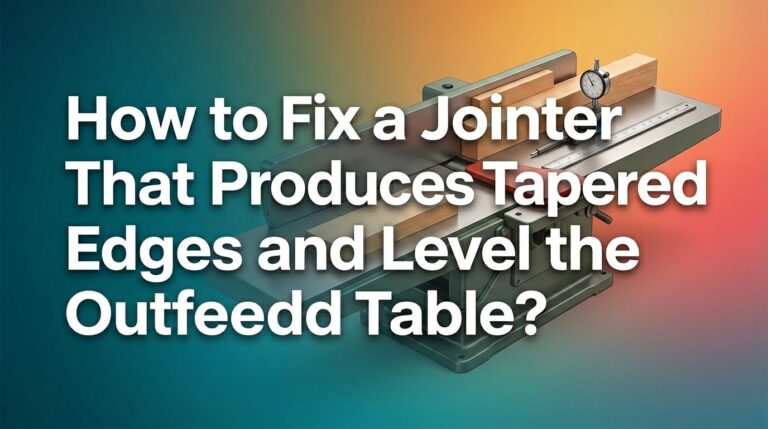
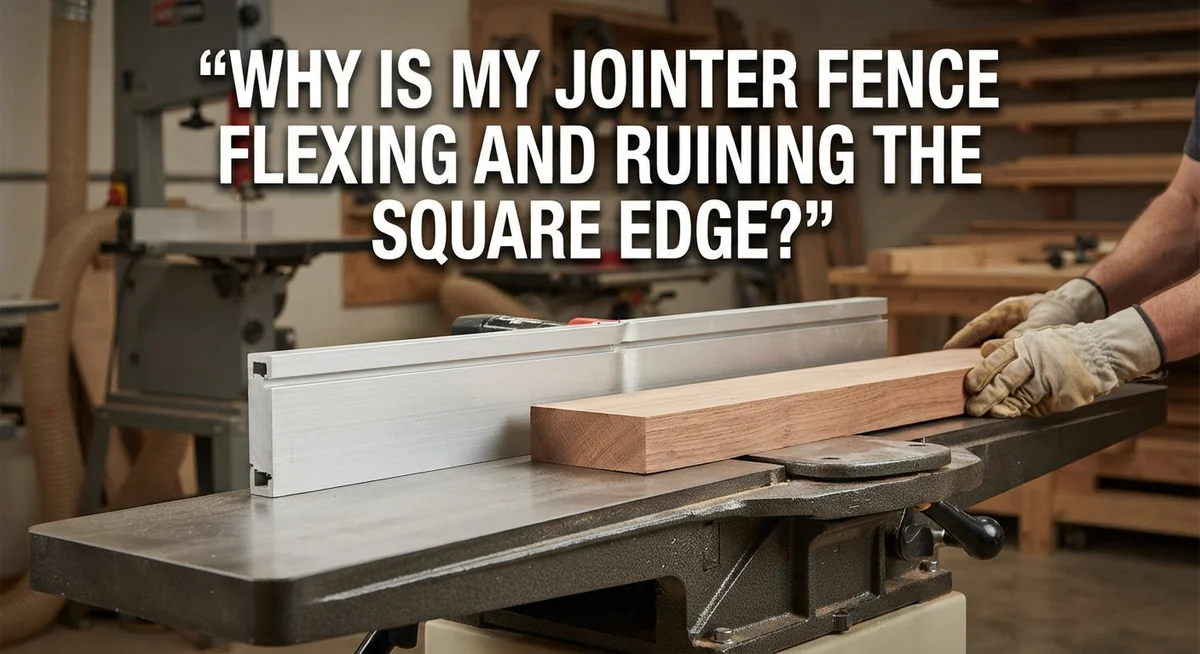
A jointer fence works by holding the wood at a precise angle to the cutter head. The fence must stay perfectly perpendicular to the table surface. When you press wood against it, the fence should not move or bend.
The fence connects to your jointer through a holding mechanism. This mechanism locks the fence in place. It keeps the fence square to the table. Without this lock, the fence shifts under cutting pressure.
Here’s what happens during normal operation. You set your fence at 90 degrees to the table. You engage the positioning lever to lock it tight. Then you feed wood across the cutter head. The wood pushes against the fence with force. If the holding mechanism is loose, the fence flexes outward. This creates a beveled edge instead of a square one.
The outfeed side of your fence flexes most often. This area receives the most pressure from your workpiece. Wood naturally pushes the fence away as it moves across the blades. A loose mechanism allows this movement. A tight mechanism resists it completely.
The fence itself is usually not defective. The problem lives in how the fence attaches to your jointer. Check where the positioning lever connects to the fence. Look for play or movement in this joint. Even small gaps cause big problems.
Your blade alignment also affects edge squareness. If your cutter head sits at an angle, the fence cannot compensate. The blade must sit parallel to your fence. Both ends of the cutter head must align properly.
Before you assume your fence is broken, test everything. Use a square to verify the 90 degree angle. Check that your blade sits parallel to the fence. Tighten the positioning lever firmly. Often these simple checks reveal the real issue. Your fence may work perfectly once everything is properly secured and aligned.
Root Causes of Fence Flexing and Non-Square Edges
Your jointer fence flexes for specific reasons. Understanding these root causes helps you fix the problem quickly.
Loose Fence Holding Mechanism is the primary culprit. Your fence connects to the jointer body through a positioning lever or clamping system. When this mechanism loosens, the fence moves outward under cutting pressure. The wood pushes against the blade, which pushes back against the fence. A loose connection cannot resist this force. The fence leans away from the blade instead of staying perpendicular to the table.
Blade Alignment Issues also contribute to non-square edges. If your blade sits higher on one end than the other, the fence appears to flex even when it is perfectly rigid. The cutter head must be level across its entire width. Check blade height at both ends of the head. Uneven blade positioning mimics fence flex and confuses diagnosis.
Outfeed Side Flexing happens most frequently. This area experiences the most stress during jointing. Wood passes over the outfeed table and contacts the blade at an angle. The pressure concentrates on the outfeed portion of your fence. This side bends outward more than the infeed side. Watch this area closely during your inspection.
Fence Parallelism Problems occur when your fence does not sit parallel to the blade. Even a tight fence can produce non-square edges if it angles relative to the cutting surface. The fence must align at exactly 90 degrees to your jointer table.
Blade and Table Misalignment affects overall squareness. If your infeed and outfeed tables sit at different heights, or if the cutter head tilts, your fence cannot produce square edges regardless of its condition. These alignment issues cascade through your entire jointing process.
Start your diagnosis by checking each of these areas systematically. Tighten your positioning lever first. Then verify blade height, fence angle, and table alignment.
How to Diagnose a Flexing Fence with a Square
A square is your best tool for diagnosing fence flex problems. Start by placing the square flat against your jointer table and fence at the same time. The square should show you instantly if a gap exists between the fence and the table surface.
Next, check the blade height. Your square should touch the blade at exactly 90 degrees when you position it against both the fence and the cutter head. If the blade leans away from the square, you have found part of your problem.
Push the fence gently while watching the square. This reveals whether the fence moves when you apply light pressure. Real flex happens when the fence shifts away from that 90 degree angle. The outfeed side usually shows movement first because it takes the most stress during jointing.
Check both ends of your cutter head with the square. Uneven blade height across the cutter head can make your fence look like it flexes when the actual problem sits in the blade itself. Test the left end, middle, and right end of the blade to confirm uniform height.
Position your square against the infeed table, the fence, and the cutter head all together. This three point check reveals alignment issues that cause non square edges. Look for gaps or spaces where the square should sit flush.
Take notes of what you find. Does the fence flex outward? Does it lean toward the infeed table? Does one end of the blade sit higher than the other? These details tell you exactly where to focus your fix.
Repeat this process several times to confirm your findings are consistent. Fence flex diagnosis works best when you test multiple times and document the results each time.
Step-by-Step Fix: Tightening the Fence-Holding Mechanism
Start by locating your fence positioning lever. This lever controls how firmly the fence stays locked in place against your jointer. Most jointers have this lever on the side or front of the machine.
Loosen the lever first by turning it counterclockwise or pulling it outward, depending on your model. This allows you to move the fence freely without resistance. You need access to the internal holding mechanism to tighten it properly.
Look behind or underneath the fence where it connects to the jointer body. You’ll find bolts or screws that secure the fence bracket to the machine. These fasteners hold everything together and prevent movement during use.
Use the correct wrench or socket to tighten each bolt one quarter turn at a time. Work your way around all fasteners in a circular pattern. This prevents uneven pressure that could bend the fence bracket.
After tightening, push the fence gently toward the cutter head. It should resist movement but not feel stuck. The fence needs to move smoothly when you operate the positioning lever.
Test the fence by moving it in and out several times. Listen for grinding sounds or feel for rough spots. Smooth operation means you’ve tightened correctly.
Position your square against the table and fence. The square should sit flat with no gaps. If gaps appear, the fence bracket may need additional tightening on specific bolts.
Tighten the positioning lever firmly by hand. You shouldn’t need tools or excessive force. The lever should feel solid when fully locked.
Run a test piece through the jointer. Check the edge with your square immediately after jointing. A square edge means your fence holding mechanism is now working properly.
If flexing continues after tightening, the bracket itself may be bent. Inspect it carefully for damage or warping before assuming the mechanism is faulty.
Checking Blade Alignment and Cutter Head Parallelism
Your jointer’s blade alignment directly affects whether you get square edges. Even a perfectly tight fence won’t help if your blades sit at an angle to the fence.
Start by checking blade parallelism to your fence. Use a square to measure the distance from the blade to the fence at both ends of the cutter head. Measure near the infeed side first. Then measure at the outfeed side. The distances should match exactly.
If one end of the blade sits closer to the fence than the other, your cutter head is tilted. This tilt causes the blade to cut at an angle. Your workpiece will come out with a beveled edge instead of a square one. The fence may not be flexing at all. The blade angle is creating the illusion of a flexing problem.
Check blade height uniformity across the cutter head next. The blade should protrude the same amount at both ends. Uneven blade height creates non-square edges because different parts of your workpiece get cut at different depths. This throws off your edge squareness immediately.
Verify that the infeed table, outfeed table, and cutter head all sit parallel to each other. Use your square against the table surface and check the cutter head rotation. Any misalignment here compounds your fence flexing problem.
Tighten any adjustment bolts on your cutter head assembly. These bolts hold the head in proper alignment. Vibration and use can loosen them over time. A quarter turn at a time is usually enough. Test after each adjustment.
Once blade alignment is confirmed square to the fence, your fence flexing becomes obvious. You’ll see the fence moving, not the blade causing optical illusions. Then you can focus on tightening the fence mechanism itself with confidence that your blade geometry is correct.
Budget Workaround: Laminating Boards for Added Support
A budget workaround solves fence flexing without replacing expensive parts. This method uses two boards laminated together to create extra stiffness against your jointer fence.
Start by selecting two flat boards made from hardwood. Maple or oak works best because these woods resist bending under pressure. The boards should measure roughly 3/4 inch thick each and span the full length of your jointer fence.
Apply wood glue to one face of each board. Press them together face to face, making sure the edges align perfectly. Clamp the pair tightly across their entire length using bar clamps or pipe clamps. Space your clamps every 12 to 18 inches along the boards. Let the glue dry for at least 24 hours before removing clamps.
Once dry, the laminated board becomes much stiffer than a single piece. This added rigidity prevents the fence from flexing outward when you apply downward pressure during jointing.
Attach the laminated board to your jointer fence using end clamps. Position one clamp near each end of the fence. Tighten these clamps firmly so the laminated board stays pressed against the fence edge. The board should sit flush and parallel to your cutter head.
Test your setup by running a piece of scrap wood through the jointer. Check the edge with a square to verify it now cuts at 90 degrees. If the edge still isn’t square, the laminated board may need repositioning.
This workaround costs far less than purchasing a new jointer fence or replacement assembly. The laminated boards remain removable, so you can adjust or replace them later. Many woodworkers use this method as a temporary fix while saving money for fence upgrades or replacement equipment.
Common Mistakes That Lead to Persistent Squareness Problems
Many woodworkers assume their fence is defective when the real problem lies elsewhere. This mistake wastes time and money. Understanding what actually causes squareness problems helps you fix the issue correctly.
The biggest error is ignoring the fence holding mechanism. Most people blame the fence itself when the positioning lever or bolts are simply loose. Your fence flexes outward under cutting pressure because something is not clamped down tight enough. Check every connection point where the fence attaches to your jointer body before assuming the fence needs replacement.
Another common mistake is skipping the square test before jointing. Many users rush straight to cutting wood without verifying that the fence sits at 90 degrees to the table. Use a reliable square to check this angle every single time. This one step catches most squareness problems before they ruin your work.
Not checking blade height uniformity across the cutter head causes hidden alignment issues. Your blade should protrude the same amount at both ends. If one side sits higher or lower, your edges will never be square no matter how tight your fence is. This problem gets overlooked because people focus only on the fence.
Neglecting to verify that your infeed table, outfeed table, and cutter head all sit parallel to each other creates ongoing trouble. These three components must align perfectly. Loose adjustment bolts on the cutter head assembly allow the blade to tilt slightly, producing non-square edges.
Finally, many users tighten the positioning lever once and forget about it. Vibration from regular use can loosen this mechanism gradually. Check it weekly as part of your routine maintenance.
The fix starts with diagnosis. Square your fence to the table. Check blade alignment on both ends. Verify cutter head parallelism. Tighten every bolt and lever. Only after confirming these basics should you consider fence replacement or workarounds.
Final Thoughts
A flexing jointer fence feels frustrating, but the fix is simple. Most problems come from a loose holding mechanism, not a broken fence.
Take time to test your fence with a square. This small step saves hours of frustration later.
Square edges depend on three things working together. Your fence, blade, and tables must align properly. Skip one check, and problems return.
Tightening loose bolts often solves the issue completely. Many woodworkers overlook this simple step.
If tightening doesn’t work, try the lamination method. It costs little and adds real stability to your fence.
Remember that jointer maintenance is ongoing, not a one time fix. Check your fence regularly, especially before big projects.
Wood grain, humidity, and daily use all affect your equipment. Small adjustments keep your jointer working like new.
Don’t rush through setup checks. A few extra minutes now prevent wasted wood later.
Your jointer is only as accurate as its weakest connection point. Focus on that connection first.
Once you understand the root cause, fixing flex becomes easy. You don’t need fancy tools or expensive parts.
Patience and careful testing solve most jointer problems. Trust the process, and check your results often.
Square edges lead to strong joints and clean finished projects. That’s the real goal behind every adjustment.
Keep this guide handy for future reference. Jointer issues tend to repeat over time.
With the right approach, you’ll spot problems early. You’ll also fix them faster next time.
A well tuned jointer makes every woodworking project smoother. Take care of your tool, and it will take care of your work.
Frequently Asked Questions
Why does my jointer fence lean when I tighten the positioning lever?
The fence-holding mechanism is likely loose. When you apply pressure during jointing, the fence shifts outward instead of staying rigid. This happens because the bolts or clamps that secure the fence assembly have become slack over time.
Check each bolt on your fence mechanism. Tighten them firmly but do not over-tighten, as this can strip threads. Start with the bolts closest to where the fence attaches to the jointer body. Test the fence again after each adjustment.
How do I know if my blade height is causing the non-square edge?
Use a square to check both ends of your cutter head. Place the square against the blade at the infeed side, then check the outfeed side. If the blade sits at different heights, your edge will not be square even if your fence is perfectly rigid.
The blade should protrude the same distance at both ends. If it doesn’t, loosen the cutter head bolts slightly and adjust until both ends match. This alignment issue often gets confused with fence flexing.
What is the quickest way to test if my fence is actually square?
Place a square flat against your jointer table. Slide it toward the fence until they touch. The square should contact the fence along its entire length with no gaps.
Repeat this test at different heights on the fence. If gaps appear, your fence is either bent or the table is not flat. This simple check takes two minutes and reveals the true problem.
Can I fix fence flex without buying new parts?
Yes. The lamination method works well. Glue two hardwood boards face to face. Once dry, clamp this stiffer assembly to your jointer fence using end clamps. This reinforces the fence and reduces flex significantly.
This approach costs very little and improves performance noticeably. Many woodworkers use this temporary fix while saving for a replacement fence.

Hi, I’m Leah Ray — the voice behind CraftBench Vault. I’m a passionate woodworking enthusiast dedicated to reviewing the best wood cutting tools and woodworking products. Through honest research and hands-on experience, I help fellow crafters make smarter buying decisions. Welcome to my workshop!