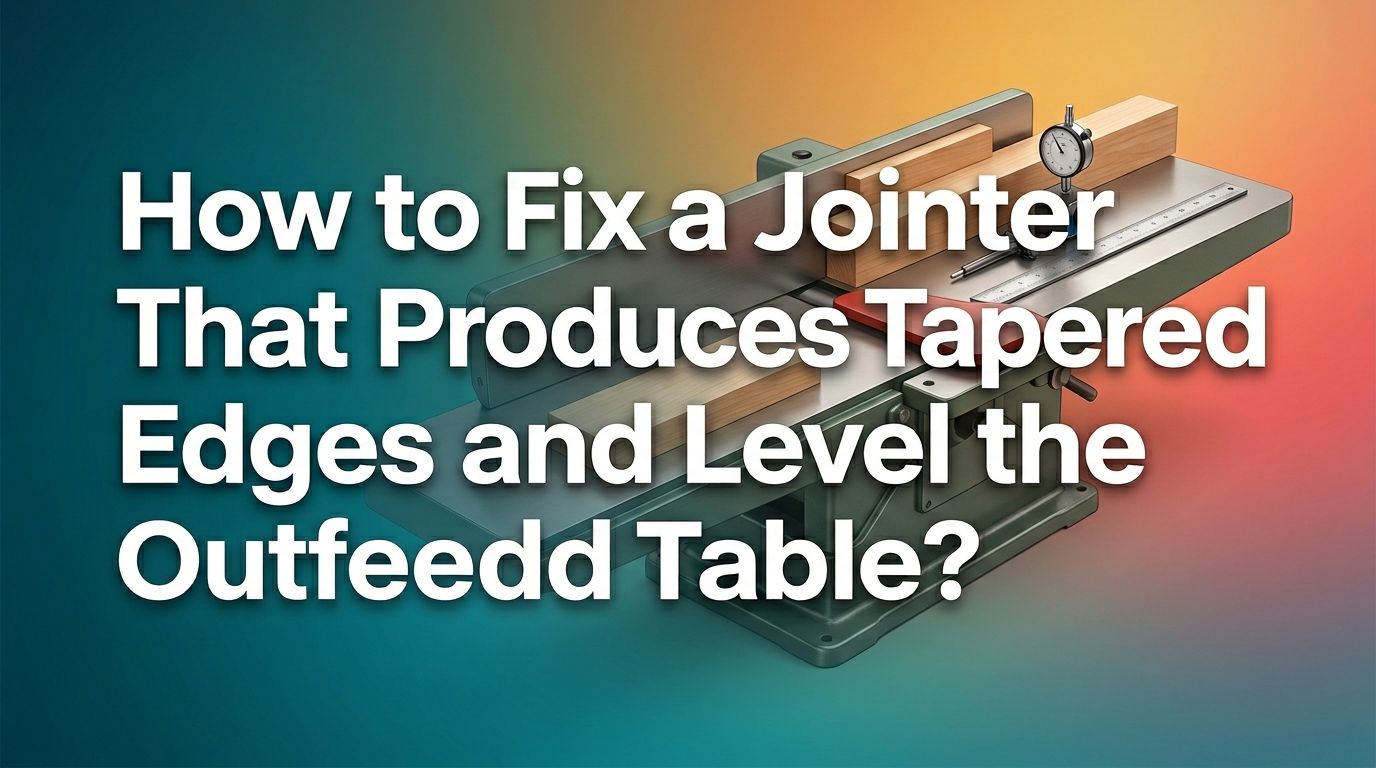
How to Fix a Jointer That Produces Tapered Edges and Level the Outfeed Table?
You just ran a board through your jointer and expected a clean, flat edge. Instead, you got a tapered cut that throws off your entire project.
This is one of the most common and frustrating problems woodworkers face. The board looks thinner on one end and thicker on the other, and no matter how many passes you make, it only gets worse.
The good news? This problem almost always traces back to one thing: your outfeed table height. A table set even a few thousandths of an inch too high or too low will create a taper on every single pass. The fix is often simple, but you need to know exactly what to look for and how to correct it.
In a Nutshell
- The outfeed table height is the most common cause of tapered cuts. If this table sits higher than the top of the knife arc, the board lifts slightly with each pass. The result is a progressive taper that worsens over multiple passes.
- Tables that are not coplanar will also produce taper. If the infeed and outfeed tables are not parallel to each other, the wood cannot travel in a straight path across the cutterhead. This misalignment can develop over time as table castings sag or debris builds up in the dovetailed ways.
- Dull blades reduce the effective cutting circle. As knives wear down, the cutting circle shrinks. This changes the relationship between the knife arc and the outfeed table, leading to taper even if the table was previously set correctly.
- Improper hand pressure during feeding causes inconsistent cuts. Pressing down too hard over the cutterhead area or failing to transfer pressure to the outfeed side allows the board to shift during the cut. This operator error mimics the effects of a misaligned table.
- A straightedge and feeler gauge are your two most important diagnostic tools. You can identify nearly every alignment issue by placing a quality straightedge across both tables and checking for gaps. A feeler gauge helps you measure those gaps precisely.
- Regular maintenance prevents most taper problems before they start. Cleaning the dovetailed ways, checking knife height after sharpening, and verifying table alignment every few months keeps your jointer cutting straight and true.
How Does a Jointer Create Tapered Edges
A jointer creates a taper when the outfeed table is not set to the correct height relative to the knife arc. The outfeed table should sit at exactly the same height as the top of the cutting circle. This is the highest point the knives reach during rotation, called top dead center.
If the outfeed table is too high, it acts like a ramp. The wood lifts slightly as it moves past the cutterhead and onto the outfeed table. Each pass removes more material from the leading end than the trailing end. After several passes, the board shows a clear taper.
If the outfeed table is too low, you get a different problem called snipe. The trailing end of the board drops as it leaves the infeed table, and the knives gouge a deeper cut along the last couple of inches. Both problems share the same root cause: an outfeed table that does not match the knife height.
How to Diagnose the Source of Your Taper Problem
Start by unplugging your jointer. Safety comes first because you will be working near the cutterhead. Remove the guard and slide the fence out of the way to expose the full table surface.
Place a reliable straightedge on the outfeed table so it extends over the cutterhead. Rotate the cutterhead by hand until one knife reaches its highest point. Look at the gap between the straightedge and the knife. If you can see daylight, the outfeed table is too high. If the knife pushes the straightedge up, the table is too low.
Use a feeler gauge to measure the gap. You want the knife to just barely contact the straightedge, within one to two thousandths of an inch. Repeat this check at three points across the width of each knife: left side, center, and right side. This tells you if the knives are level across their full width.
Pro Tip: Check all knives individually. One knife set higher than the others causes scalloped cuts and inconsistent taper patterns.
How to Set the Outfeed Table Height Correctly
This is the single most important adjustment on your jointer. Loosen the table lock, which is usually a lever or knob on the back or side of the machine. Place your straightedge on the outfeed table so it extends over the cutterhead.
Rotate the cutterhead by hand to bring one knife to top dead center. Slowly adjust the outfeed table height using the adjustment knob or lever until the straightedge just barely touches the knife. The knife should graze the straightedge without lifting it.
Tighten the table lock and recheck. Sometimes tightening the lock shifts the table slightly. If it moved, loosen and readjust. Repeat this check for every knife in the cutterhead. Each knife must contact the straightedge the same way.
Pros of this method: It is fast, requires minimal tools, and works on nearly every jointer model. Cons: A worn or inaccurate straightedge gives false readings. Invest in a machinist grade straightedge for best results.
How to Check If Your Tables Are Coplanar
Coplanar means both tables lie in the same flat plane. If one table is twisted, tilted, or sagging relative to the other, your jointer cannot produce straight cuts. This check requires a long straightedge, ideally one that spans the full length of both tables.
First, raise the infeed table to the same height as the outfeed table. Place the straightedge across both tables along the front edge, the center, and the back edge. Look for gaps under the straightedge. Then check diagonally from corner to corner on both diagonals.
Any gap means the tables are not coplanar. A gap at the far end of the outfeed table suggests the table is sagging, which is common on older jointers. A gap at the cutterhead end of either table may indicate debris in the dovetailed ways or a gib adjustment issue.
Pros of this method: It reveals both twist and sag problems in one check. Cons: You need a long, accurate straightedge. A short or bowed straightedge will give misleading results.
How to Shim the Outfeed Table to Fix Sag
Table sag happens over time, especially on older jointers with long cast iron tables. The far end of the outfeed table droops below the plane of the cutterhead, creating a taper on every cut. Shimming corrects this without replacing expensive castings.
Start by loosening the gib screws along the edge of the outfeed table. These screws hold the table against the dovetailed ways. Use brass shim stock or thin aluminum cut from a beverage can. Slip the shim material between the table casting and the dovetailed way.
To raise the far end of the table, place the shims near the bottom of the ways. To raise the table near the cutterhead, place shims near the top. Work on both sides of the table and recheck with your straightedge after each adjustment.
Pros of shimming: It is inexpensive and works well on most jointers. You can fine tune the adjustment precisely. Cons: It takes patience and multiple rounds of checking. Over shimming can make the table bind on its ways.
How to Adjust the Gib Screws for Proper Table Alignment
Gib screws control how tightly the tables sit against the dovetailed ways. If these screws are too loose, the table can shift during use. If they are too tight, the table binds and becomes hard to adjust.
Locate the gib screws along the side of the outfeed table. Most jointers have three to five screws per side. Loosen all gib screws slightly and then retighten them evenly. The table should move smoothly with the adjustment knob but should not wobble or rock side to side.
After adjusting the gibs, recheck the table for coplanar alignment. A common mistake is to tighten one side more than the other, which introduces a twist. Use your straightedge diagonally across the tables to verify that no twist is present.
Tip: Apply a light coat of paste wax or dry lubricant to the dovetailed ways after cleaning. This helps the table slide smoothly and reduces wear on the bearing surfaces.
How to Set Jointer Knife Height After Blade Changes
Every time you change or sharpen your jointer knives, the outfeed table relationship changes. New or freshly sharpened knives have a larger cutting circle than dull ones. If you do not readjust the outfeed table, you will get snipe or taper.
Place each knife in the cutterhead and tighten the gib bolts partially. Use a small wooden block marked with millimeter gradations, placed on the outfeed table and extending over the cutterhead. Rotate the cutterhead by hand so the knife grabs the block and pushes it forward.
The block should advance about 2 to 3 millimeters. This corresponds to a knife projection of roughly one thousandth of an inch above the outfeed table. Repeat at the left, center, and right of each knife. Adjust the jackscrews in the blade holder until all knives advance the block the same distance.
Pros of the wooden block method: It is low cost, surprisingly accurate, and does not require specialized tools. Cons: It requires a well jointed reference block and careful interpretation of movement distances.
How to Clean and Maintain the Dovetailed Ways
Sawdust and pitch build up inside the dovetailed ways over time. This debris pushes the table out of alignment and makes adjustments feel sticky or inconsistent. Regular cleaning solves this problem and prevents future taper issues.
Lower the outfeed table as far as it will go to expose the dovetailed ways. Use a nylon or brass bristle brush to scrub out the accumulated debris. Avoid steel brushes because they can score the bearing surfaces.
After cleaning, wipe the ways with a rag dampened with mineral spirits to remove pitch and residue. Let the surfaces dry completely, then apply a thin coat of paste wax or a dry film lubricant. Raise and lower the table several times to distribute the lubricant evenly.
Do this at least every few months, or more often if you work with resinous woods like pine or cedar. Clean ways allow the table to adjust smoothly and hold its position without drifting.
How to Use Proper Feed Technique to Prevent Taper
Even a perfectly aligned jointer can produce taper if you use the wrong technique. The key is hand pressure placement. Many woodworkers press down hard right over the cutterhead, which deflects the board and creates inconsistent cuts.
Start each pass with your left hand pressing the board flat against the infeed table well ahead of the cutterhead. Your right hand pushes the board forward from behind. As the leading end of the board passes the cutterhead, transfer your left hand pressure to the outfeed table side.
Never press down directly over the cutterhead. This lifts the board off the outfeed table and allows the knives to cut unevenly. Let the outfeed table support the board. Your job is simply to keep the board flat against that table and push it forward at a steady rate.
Pros of proper technique: It eliminates operator caused taper without any mechanical adjustments. Cons: It takes practice and conscious effort, especially for beginners who are used to pressing down hard.
How to Use a Dial Indicator for Precision Alignment
A dial indicator gives you much more precise measurements than a straightedge and feeler gauge. This tool is especially useful for detecting small amounts of table twist or inconsistent knife heights across the cutterhead.
Build or buy a simple wooden holder that sits on the outfeed table and holds the dial indicator tip against the cutterhead. Rotate the cutterhead by hand and note the reading at top dead center. Take readings at three to four points across the width of each knife.
The readings should be consistent within half a thousandth of an inch across the full width. If the readings vary from one side to the other, the outfeed table is tilted on its long axis. Adjust the table tilt using the bolts or shims specific to your jointer model.
Pros of dial indicator method: It is the most accurate way to check alignment. Cons: Dial indicators add cost, and the wooden jig takes time to build. This method is best for serious woodworkers who demand precise results.
How to Verify Your Fix With a Test Cut
After making adjustments, run a test cut to confirm the problem is solved. Choose a straight, flat board at least 24 inches long. Joint one edge with a single pass at a shallow depth of cut, about 1/32 of an inch.
Mark the board with a pencil line before the pass. After jointing, examine the edge. The pencil line should be removed evenly across the entire length. If more material was removed from one end, taper is still present.
Use a combination square or calipers to measure the board thickness at both ends. The difference should be zero or less than one thousandth of an inch. If taper persists, recheck the outfeed table height and coplanar alignment.
Run two or three more test cuts on different boards. Consistent results across multiple boards confirm your jointer is properly adjusted. Inconsistent results may point to a loose table lock, worn gibs, or a knife that shifted during testing.
How to Prevent Tapered Cuts From Returning
Prevention is easier than repair. Create a maintenance schedule for your jointer. Check the outfeed table height every time you change or sharpen the knives. Verify coplanar alignment every three to six months, or sooner if you notice any change in cut quality.
Keep the dovetailed ways clean and lubricated. Sawdust accumulation is the silent enemy of jointer alignment. Even a small amount of debris can push a table out of alignment by a few thousandths of an inch.
Store your straightedge properly so it does not warp or get damaged. A bent straightedge is useless for alignment checks. And always unplug the jointer before performing any inspection or adjustment near the cutterhead.
Finally, pay attention to your results. If boards start showing a slight taper, address the issue immediately rather than letting it worsen. A quick five minute check can save hours of frustration and wasted material down the road.
Frequently Asked Questions
How Do I Know If My Jointer Outfeed Table Is Too High or Too Low?
Place a straightedge on the outfeed table so it extends over the cutterhead. Rotate a knife to top dead center. If there is a gap between the knife and the straightedge, the table is too high and will cause taper. If the knife pushes the straightedge upward, the table is too low and will cause snipe. The knife should just barely touch the straightedge without lifting it.
How Often Should I Check My Jointer Table Alignment?
Check the outfeed table height every time you install new knives or sharpen existing ones. Verify that both tables are coplanar at least every three to six months. If you use your jointer daily, check more often. Any change in cut quality, such as new taper or snipe, should trigger an immediate alignment check.
Can Dull Blades Cause Tapered Cuts on a Jointer?
Yes. As blades wear, the cutting circle shrinks. This effectively lowers the knife arc relative to the outfeed table. The outfeed table, which was once set correctly, is now too high. The result is the same progressive taper you get from a misaldjusted table. Resharpening the blades restores the cutting circle, but you must also readjust the outfeed table height after any blade service.
What Tools Do I Need to Level a Jointer Outfeed Table?
You need a quality straightedge long enough to span both tables, a set of feeler gauges, and the wrenches or Allen keys specified in your owner’s manual. For more precise work, a dial indicator with a wooden holder jig gives the best results. Brass shim stock is also useful if your tables need shimming to correct sag or twist.
Is It Normal for Jointer Tables to Sag Over Time?
Yes. Older jointers with long cast iron tables are especially prone to sag at the far ends. Gravity and repeated use gradually pull the table ends downward. This is a well known issue, and shimming the dovetailed ways is the standard fix. Regular checks help you catch sag early before it affects your cut quality.

Hi, I’m Leah Ray — the voice behind CraftBench Vault. I’m a passionate woodworking enthusiast dedicated to reviewing the best wood cutting tools and woodworking products. Through honest research and hands-on experience, I help fellow crafters make smarter buying decisions. Welcome to my workshop!