Why Is My Planer Leaving Ridges And Lines Down The Wood?
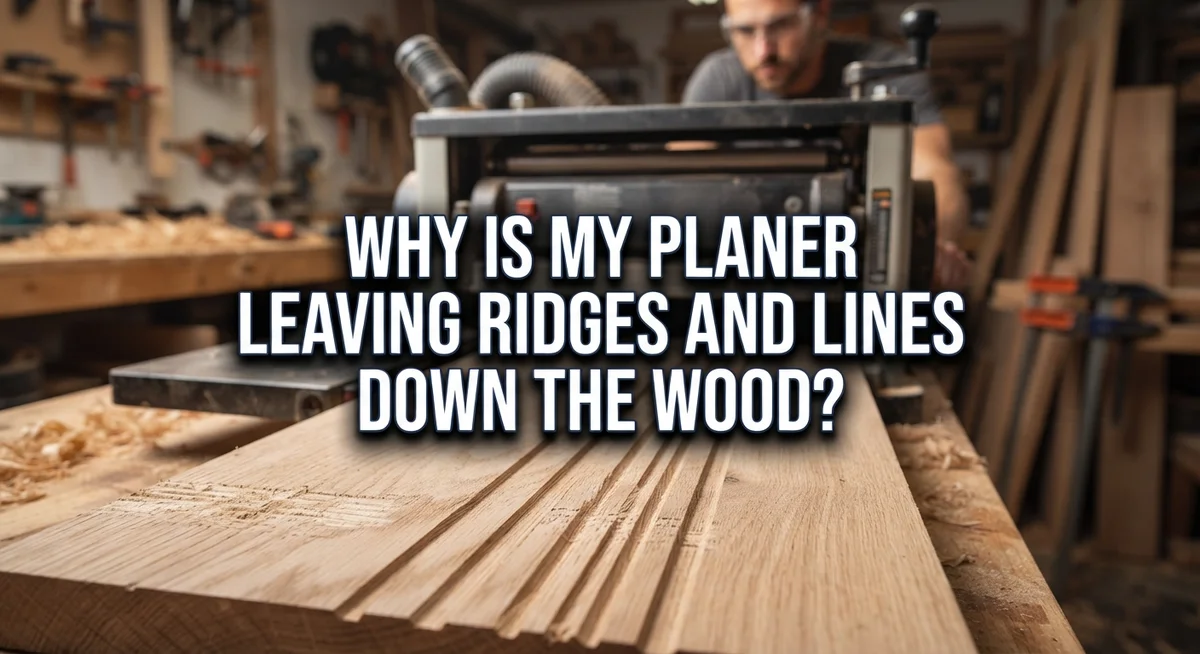
You run a board through your planer, expecting a smooth clean surface. Instead, you find odd ridges and lines running down the wood.
It’s frustrating, especially after sanding and prep work. But don’t worry, this problem is common and fixable.
Ridges and lines usually point to a few specific issues. Your blades might have small nicks from hidden debris. Your rollers could be dirty or worn out. Even a misadjusted pressure bar can leave marks on your boards.
The good news? You can figure out the cause pretty quickly. Lines that run the length of your board usually mean a blade problem. Ridges that go across the board often point to your rollers or pressure bar.
In a Nutshell
- Lines that run the length of your board usually mean your blades have a nick or ding. Small debris in the wood often causes this damage.
- Ridges that cross the board point to a different problem. Your feed rollers or pressure bar likely need attention.
- Check your blades first. Remove them and look closely for chips or dents along the edge.
- Dirty or worn feed rollers can also leave marks. Clean them well and check for uneven wear.
- Your pressure bar might be misadjusted. This part holds the wood steady, and if it’s off, ridges appear.
- Poor chip extraction lets debris build up inside the planer. This debris can scratch your wood as it passes through.
- Taking shallow cuts helps prevent stress on your blades and rollers. This simple habit reduces the odds of new lines forming.
Lines vs. Ridges: Understanding the Key Difference
A line and a ridge might sound like the same problem, but they’re actually two different issues. Understanding which one you’re seeing helps you fix the right part of your planer.
Lines run lengthwise down your board. These marks travel the full length of the wood, parallel to the grain direction. Lines almost always mean your cutting blades have a problem. A tiny nick, ding, or chip on a blade creates the same mark over and over as the board passes through. The blade hits the wood at the same spot repeatedly, leaving that telltale line behind.
Ridges run across your board. These marks go sideways, perpendicular to the wood grain. Ridges indicate a completely different source. They usually come from your feed rollers, pressure bar, or chip extraction system. When rollers get dirty or worn, they can’t grip the wood evenly. The pressure bar might be sitting too low or too high. Both situations create uneven pressure points that show up as crosswise ridges.
Here’s the practical difference: if you run your finger along the marks, lines feel like thin grooves running the length. Ridges feel like bumps or depressions crossing the width. This simple touch test tells you which component needs attention.
Why this matters for repairs: Fixing a line means inspecting and likely replacing your blades. Fixing a ridge means cleaning your rollers, adjusting your pressure bar, or improving how chips exit the planer. These are completely different jobs with different solutions.
Many people get frustrated because they assume all marks come from the same cause. Once you recognize the difference between lines and ridges, you can skip the guesswork and go straight to the actual problem. This saves time and keeps you from replacing parts that don’t need replacing.
Blade Problems That Cause Lengthwise Lines
A nicked blade is the most common culprit behind lengthwise lines. When your planer blade hits a nail, staple, or hard debris embedded in the wood, it creates a tiny ding. That small nick acts like a miniature plow, cutting a thin groove down the length of every board you run through.
You’ll notice these lines appear consistently in the same spot on each piece of wood. The location stays constant because the blade rotates in the same position. If you see multiple parallel lines, you likely have multiple nicked blades or a severely damaged one.
Misaligned blades cause similar problems. When blades sit at slightly different heights or angles, they cut unevenly. Some portions of the blade cut deeper than others, leaving visible lines across the board’s length. Proper alignment means all blades should be parallel and at identical heights.
Chipped blades also leave lengthwise marks. Chips develop from dull blades, excessive cutting depth, or feeding wood too quickly. A chipped edge doesn’t cut cleanly. Instead, it tears and gouges the wood surface, creating visible lines.
Here’s how to inspect your blades: Remove them from the planer and clean off all dust and debris. Hold each blade up to bright light and look for any nicks, dings, or chips along the cutting edge. Run your finger gently across the edge to feel for damage. Even tiny imperfections cause visible marks.
Check blade alignment by measuring the distance from each blade’s cutting edge to a reference point. All measurements should match exactly. Misalignment of even 0.01 inches creates noticeable lines.
If you find damaged blades, they need replacement. Sharpening won’t fix nicks or chips. A single damaged blade ruins every piece you plane, so replacing blades is worth the investment. Clean blades before reinstalling them to prevent debris from affecting alignment.
Feed Roller and Pressure Bar Issues Behind Crosswise Ridges
Your feed roller and pressure bar work together to move wood through the planer smoothly. When either one has problems, you get crosswise ridges running perpendicular to the grain.
The feed roller sits at the infeed side and pulls wood into the planer. A dirty feed roller picks up dust and debris that transfers onto your wood surface. This creates uneven contact between the wood and the roller. The result? Ridges appear across your board as the wood moves forward unevenly.
Worn feed rollers develop flat spots or glazed surfaces over time. These damaged areas don’t grip wood properly. Your wood shifts slightly as it passes through, leaving those annoying crosswise marks behind.
The pressure bar sits above the wood after it passes the cutterhead. This bar holds the wood flat against the outfeed roller. A misadjusted pressure bar sits too high or too low. When it’s too high, it applies uneven pressure. When it’s too low, the wood lifts slightly during planing.
Either way, your wood doesn’t stay flat against the outfeed roller. The cutterhead then cuts unevenly across the board width, creating ridges.
To inspect your feed roller, remove it from the planer if possible. Wipe it clean with a dry cloth. Look for flat spots, cracks, or a sticky glazed coating. A worn roller needs replacement. A dirty roller often just needs cleaning.
Check your pressure bar by measuring its height at different points across the board width. The height should be consistent. If measurements vary, your pressure bar needs adjustment.
Poor chip extraction also contributes to crosswise ridges. Debris buildup inside the planer gets pressed into your wood surface. Make sure your dust collection system works properly and your chip chute stays clear.
Addressing feed roller and pressure bar issues usually eliminates crosswise ridges completely.
Step-by-Step Inspection Process for Diagnosing the Cause
Start your inspection by understanding what you’re looking for. Lines run lengthwise down the wood, while ridges run across it. This distinction matters because each problem needs a different fix.
Begin with your planer’s blades. Turn off and unplug the machine first. Remove the blades carefully and lay them on a clean surface. Use good lighting to examine each blade’s cutting edge closely.
Look for tiny nicks, dents, or chips along the blade edge. Even a small nick the size of a grain of sand will leave a line on your wood. Mark any damaged blades so you remember which ones need attention. Measure the distance from each blade’s cutting edge to a fixed reference point on your planer. Blades should sit at the same height. Misaligned blades create lengthwise lines just like nicked ones do.
Next, inspect your feed roller and pressure bar. The feed roller pulls wood into the planer at the infeed end. Remove it if your planer design allows this. Check for dirt, dried glue, or worn spots. A glazed or flattened feed roller won’t grip wood properly.
Examine your pressure bar by measuring its height at several points across the board width. The pressure bar should sit at a consistent height. If it dips in the middle or sits too high in spots, wood won’t stay flat against the outfeed roller.
Check inside your planer for sawdust buildup. Poor chip extraction leaves debris that can press into the wood or cause feed problems. Clean out all dust and chips using a brush and compressed air.
Finally, look at your depth of cut setting. Excessive depth cuts strain the machine and cause poor results. Make note of all findings. This inspection tells you exactly which parts need cleaning, adjustment, or replacement.
How to Fix Nicked, Chipped, or Misaligned Blades
Nicked, chipped, or misaligned blades are the primary reason your planer leaves lengthwise lines down the wood. These marks appear in the exact same spot on every board you run through, making them easy to identify.
When a blade has a tiny nick or chip, it creates a groove in the wood as the blade rotates. Even a small imperfection becomes obvious because the blade repeats the same cut thousands of times per minute. The damage might come from hitting a nail, staple, or stone hidden inside construction lumber.
To fix blade problems, start by removing the blades from your planer. Clean off all dust and debris so you can see the cutting edges clearly. Inspect each blade under good lighting. Look for any dents, nicks, or chips along the edge. Even something you can barely feel with your fingernail will cause visible lines.
Misaligned blades sit at slightly different heights, creating uneven cuts across the board width. Measure the distance from each blade’s cutting edge to a fixed reference point on your planer. All blades should be at exactly the same height. If they’re not, adjustment is needed.
Chipped blades must be replaced. You cannot sand or file them back to sharpness. A single damaged blade ruins your surface quality, so replace all blades at the same time. This keeps your planer cutting evenly across the full width.
If your blades look perfect but you still see lines, the problem likely comes from your feed roller or pressure bar instead. Blade damage creates consistent lengthwise lines, while roller issues create crosswise ridges. Understanding this difference helps you fix the actual problem quickly and get back to producing smooth wood.
Cleaning, Adjusting, and Maintaining Rollers and Pressure Bars
Your feed rollers and pressure bar need regular cleaning to prevent ridges. Dirt and sawdust buildup on these parts causes uneven wood feeding and creates visible surface defects.
Start by unplugging your planer completely. Safety comes first when working inside the machine. Remove any access panels to reach the rollers and pressure bar.
Cleaning feed rollers is straightforward. Use a stiff brush to remove sawdust from the roller surface. Pay special attention to any flat spots or glazed areas where debris has stuck. A damp cloth helps lift stubborn buildup. Let the roller dry completely before reassembling.
Check the infeed roller’s grip. Spin it by hand to feel if it rotates smoothly. A sticky or sluggish roller means debris is trapped inside the bearing. You may need to apply a light penetrating oil and work it through by hand rotation.
Your pressure bar also collects sawdust above the wood path. Brush this area thoroughly. Sawdust here prevents the pressure bar from sitting flat against the wood, causing ridges across the board width.
Maintenance prevents future problems. After every few hours of planing, do a quick brush out of these areas. This simple step stops debris from accumulating and causing ridges.
If cleaning doesn’t solve the ridges, your rollers may be worn out. Worn rollers develop permanent flat spots that no amount of cleaning fixes. Replacement becomes necessary at this point.
Test your work after cleaning. Run a piece of scrap wood through the planer. If ridges still appear, move on to checking your pressure bar adjustment and blade alignment. Sometimes multiple issues combine to create surface defects.
Common Mistakes That Make Planer Marks Worse
Many woodworkers make mistakes that actually make planer ridges worse. Understanding these errors helps you avoid them.
Ignoring debris in construction lumber is a major mistake. Nails, staples, and dirt hide in reclaimed wood or rough stock. When your planer blade hits this debris, it creates nicks instantly. These nicks then produce lengthwise lines on every board you plane afterward. Always inspect your wood carefully before feeding it into the machine.
Confusing the type of marks you see leads to wrong fixes. Lines running along the board’s length mean your blades have problems. Ridges running across the board width point to roller or pressure bar issues. Many people treat blade problems like roller problems and waste time cleaning when they should replace blades instead.
Making cuts too deep forces your planer to work harder than it should. Deep cuts stress the blades, feed rollers, and pressure bar all at once. This stress causes alignment issues and speeds up blade wear. Shallow, consistent cuts keep everything working properly and reduce mark formation.
Neglecting regular maintenance is perhaps the biggest mistake. Sawdust buildup inside your planer creates problems you don’t see coming. Dirty rollers lose their grip on wood, causing uneven feeding. A clogged pressure bar can’t maintain even contact across the board width. This leads to crosswise ridges that seem impossible to fix.
Waiting too long to replace worn parts compounds these issues. Once your rollers wear smooth, cleaning won’t restore their grip. Worn blades continue creating marks even after you adjust everything else. Regular inspection catches problems early before they ruin your projects.
The key is staying proactive. Clean your planer frequently, use shallow cuts, inspect your wood, and replace parts before they fail completely.
Final Thoughts
Planer ridges and lines feel frustrating. But they always point to a specific cause.
Lengthwise lines mean your blades need attention. Look for nicks, chips, or misalignment first.
Crosswise ridges mean your rollers or pressure bar need attention. Dirt and wear cause most of these issues.
This simple distinction saves you time. You stop guessing and start fixing the real problem.
Regular maintenance prevents most planer marks from happening at all. Clean your blades and rollers often.
Check for sawdust buildup every few hours of use. This small habit stops big problems later.
Your pressure bar needs attention too. A misadjusted bar creates ridges even with perfect blades.
Don’t ignore debris in lumber. Construction wood often hides dirt and grit that damages blades fast.
Take shallow passes when planing. Deep cuts strain your machine and worsen any existing problems.
Replace parts when needed. Nicked blades and worn rollers won’t fix themselves over time.
Trying to sand out a nick only wastes your effort. Fresh blades solve this issue quickly.
Testing your planer after each fix matters. Run a test board through and check the results closely.
This confirms your repair worked before you plane your actual project. It also builds your skill over time.
Most planer problems have simple solutions. You just need to identify the pattern correctly.
Once you know whether you have lines or ridges, the fix becomes clear. Blade issues need blade fixes. Roller issues need roller fixes.
Stay consistent with cleaning and inspection. This habit keeps your planer working smoothly for years.
A well maintained planer gives you smooth, clean cuts every time. Take care of your tool, and it will take care of your projects.
Frequently Asked Questions
What’s the difference between lines and ridges on my planed wood?
Lines run lengthwise down your board. They point toward the grain direction. Lines mean your blades have nicks or damage. Ridges run across your board like railroad tracks. They go perpendicular to the grain. Ridges indicate roller or pressure bar problems.
This distinction matters because each issue needs a different fix. Fixing the wrong part wastes your time.
Why do nicked blades create lengthwise lines?
A nicked blade catches the wood as it spins. Each pass leaves a tiny groove. The groove repeats in the same spot on every board you plane.
Even small nicks cause visible lines. Large nicks make deeper grooves.
Can I fix ridges by sanding them out?
Sanding ridges is possible but not ideal. You remove wood unnecessarily. You also waste sandpaper and time.
The better approach is fixing the root cause. Clean your rollers first. Check your pressure bar alignment. Replace worn parts if needed. This prevents ridges from forming on future boards.
How often should I inspect my planer blades?
Inspect your blades every few hours of use. Remove each blade and look for dings or nicks under good light. Check blade alignment too.
Debris in construction lumber damages blades faster. If you plane rough lumber, inspect more frequently.
What happens if I ignore planer ridges?
Ignored ridges get worse over time. Worn rollers continue deteriorating. Nicked blades collect more damage. Each board comes out worse than the last.
Regular inspection stops small problems before they become big ones. Catch issues early and fix them quickly.

Hi, I’m Leah Ray — the voice behind CraftBench Vault. I’m a passionate woodworking enthusiast dedicated to reviewing the best wood cutting tools and woodworking products. Through honest research and hands-on experience, I help fellow crafters make smarter buying decisions. Welcome to my workshop!