How To Fix CNC Router Z-Axis Plunging Too Deep Randomly?
You start a clean cut. The job looks perfect. Then your Z-axis suddenly drops too deep and ruins the workpiece. This problem feels random, frustrating, and expensive. It wastes material, dulls bits, and shakes your trust in the machine.
The good news is simple. Random Z-axis plunging almost always has a fixable cause. It is rarely bad luck. It is usually a loose part, a wrong setting, or electrical noise. Most fixes cost little money and take only a few minutes.
This guide walks you through every common reason your Z-axis dives too deep. You get clear steps, real causes, and the pros and cons of each fix. By the end, you will know how to find the problem and stop it for good. Let us dig in.
Key Takeaways
- Loose couplers and set screws are the top cause. The grub screw that connects the stepper motor to the lead screw slips under load. Tighten it onto a flat spot, and you fix most problems.
- Lost steps come from speed and force. When your plunge feed rate or acceleration is too high, the motor cannot keep up. It skips steps and the bit dives deeper than commanded.
- Wrong steps per mm fools the controller. If your GRBL or controller settings are off, every Z move is wrong. Calibration with a dial indicator solves this fast.
- Electrical noise causes ghost moves. EMI from the spindle or VFD confuses the controller. Shielded cables, grounding, and ferrite beads stop the interference.
- Mechanical wear matters. A worn anti-backlash nut, a bent lead screw, or a dragging dust hose pulls the Z-axis off target. Check these before long jobs.
- Probe and zero errors trick you. A bad touch plate offset or a wrong Z zero makes the first plunge too deep. Always confirm your zero before pressing start.
Understand Why Your Z-Axis Plunges Too Deep
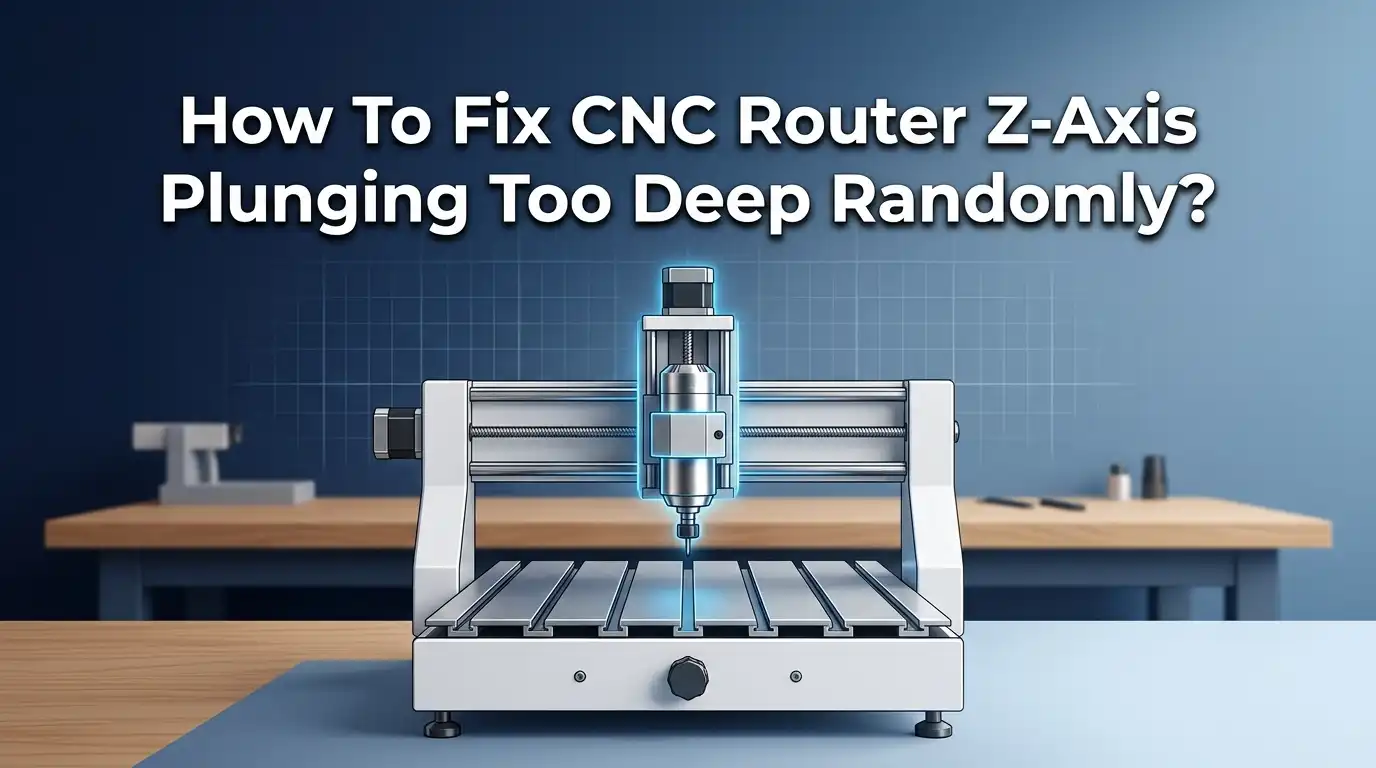
Your CNC router moves the Z-axis using a stepper motor and a lead screw. The controller sends pulses. Each pulse moves the motor a tiny amount. The bit goes down by an exact distance.
A plunge gets too deep when this chain breaks somewhere. The motor might skip steps. A part might slip. The setting might be wrong. Or noise might create false signals.
The word “random” is the biggest clue. Random failures point to physical slipping or electrical noise. Consistent failures point to wrong settings. Knowing this split helps you start in the right place.
Before you change anything, watch the machine closely during a cut. Note when the plunge happens. Note if the spindle was on. Note if the Z was moving fast. These details narrow your search and save you hours of guessing.
Check the Motor Coupler and Set Screws First
This is the number one cause of random Z plunging. The coupler joins the stepper motor shaft to the lead screw. A small grub screw, also called a set screw, holds it tight.
Over time, vibration loosens this screw. When it loosens, the motor spins but the lead screw lags. The bit dives because the Z position no longer matches the command.
To check it, power off the machine. Grip the coupler and try to twist it by hand. Any movement means it is loose. Tighten the set screw onto the flat spot on the motor shaft, not the round part.
Pros: This fix is free, fast, and solves most random plunging. Cons: Screws can loosen again. Add a drop of removable threadlocker, or file a small flat or dimple on the shaft so the screw bites better.
Inspect the Lead Screw Nut and Anti-Backlash Nut
The lead screw turns inside a nut. This nut moves the Z-axis carriage. Many routers use an anti-backlash nut to remove play.
When this nut wears out or loosens, the Z-axis drifts. The nut can even start to unthread from its housing during a job. That sudden shift shows up as a deep plunge.
Power off and try to wiggle the Z carriage up and down by hand. Feel for slack or a clunk. Real backlash means the nut needs adjustment or replacement.
For a two nut setup, move the nuts closer together until the play disappears. For a worn plastic nut, replace it. Pros: Restores tight, accurate motion. Cons: Replacement parts wear again over months, so check them during regular maintenance.
Lower Your Z-Axis Feed Rate and Plunge Speed
Sometimes the machine asks the motor to move faster than it can. The motor cannot keep up, so it skips steps. The Z then sits lower than the controller thinks.
This often happens during the plunge move, when the bit first enters the material. A high plunge rate plus a hard, dense material is a common recipe for skipped steps.
Open your CAM software and find the plunge feed rate. Lower it by 30 to 50 percent and run a test cut. If the plunging stops, you found your cause.
Pros: Costs nothing and gives instant results. Cons: Slower plunges add time to each job. You may need to find a balance between speed and reliability for your machine and your material.
Reduce Acceleration Settings in Your Controller
Acceleration controls how quickly the motor speeds up and slows down. Too much acceleration creates a sudden jolt. That jolt can make the motor lose its place.
This is a frequent hidden cause of lost steps on the Z-axis. The motion looks fine at slow speeds but fails during fast direction changes or rapid moves.
In GRBL, the setting is $122 for Z acceleration. In other controllers, look in the motion or tuning menu. Lower the value step by step and test after each change.
Pros: Smoother motion and far fewer skipped steps. Cons: Lower acceleration makes the machine feel slower. Cuts take a little longer, but a finished part beats a fast, ruined one every time.
Calibrate Your Z-Axis Steps Per MM
If your Z move is always wrong by the same amount, your steps per mm value is off. The controller thinks one millimeter is a different distance than the real one.
This shows up as cuts that are always too deep or always too shallow. It is not truly random, but it can look that way if it stacks up over many moves.
To calibrate, command the Z to move a set distance, like 50 mm. Measure the real movement with a dial indicator or caliper. Then adjust the steps per mm value with simple math.
Pros: Fixes depth accuracy across the whole machine. Cons: You need a measuring tool and a little patience. Do this once carefully and your depth stays correct for a long time.
Increase Stepper Driver Current Carefully
Stepper motors need enough current to produce torque. If the current is set too low, the motor lacks power. Under load, it slips and the Z dives.
You raise current using a small dial or potentiometer on the driver, or through a setting in digital drivers. More current means more holding force and fewer lost steps.
But be careful here. Too much current makes the driver and motor overheat. When a driver overheats, it goes into thermal shutdown, which can also cause a sudden plunge.
Raise the current in small amounts. Run the machine, then feel the motor after twenty minutes. Warm is fine. Too hot to touch is a warning. Pros: more torque and reliability. Cons: heat risk, so adjust slowly and watch temperatures.
Stop Electrical Noise and EMI From the Spindle
This cause confuses many people. The spindle or VFD creates electromagnetic interference, also called EMI. This noise can reach the controller and create false signals.
The result is a ghost move. The Z plunges even though no command told it to. These plunges feel truly random because they depend on noise, not mechanics.
Start by separating cables. Keep the spindle and VFD wires away from your motor and signal wires. Never let the spindle cable touch or drape over the Z motor.
Use shielded cable for the spindle, and ground the shield at one end only. Add ferrite beads near the VFD. Pros: Removes a maddening, invisible problem. Cons: Rewiring takes time and care, but it pays off in stable, repeatable cuts.
Ground Your Machine Properly
Poor grounding makes EMI worse. Static and electrical noise build up on the frame when there is no clear path to ground. This noise can trigger random Z movement.
A solid ground gives stray electricity somewhere safe to go. It protects both your controller and your cut quality.
Connect the machine frame to a true earth ground. Connect the VFD ground terminal as the manual shows. Make sure the spindle body is grounded through its cable shield.
Check every connection for tight, clean metal contact. Loose or painted contact points block grounding. Pros: a grounded machine resists noise and runs more reliably. Cons: you may need extra wire and a proper ground point, but the parts are cheap and the benefit is large.
Free the Dust Hose and Drag Chain
Your dust collection hose connects to the Z-axis. A stiff or short hose pulls on the carriage as it moves. That drag fights the motor and can pull the Z down.
The same goes for cables in the drag chain. If cables snag or pull tight at the edge of travel, they add force the motor did not expect.
Watch a full job and look at the hose. Does it stretch tight at any point? Does it tug the gantry? A hose that contracts when the vacuum turns on is a common hidden culprit.
Add a hose support or a retractor so the hose floats freely. Route cables with slack. Pros: Removes a sneaky mechanical force. Cons: Building a support takes a little effort, but it stops both plunging and uneven cuts.
Verify Your Z Zero and Touch Plate Offset
Sometimes the machine works fine. The real error is your Z zero. If you set zero wrong, the very first plunge goes too deep.
Touch plates and tool setters store an offset value. If that offset is wrong, every cut starts at the wrong depth. This often gets blamed on the machine when it is really a setup mistake.
Before each job, set your Z zero and double check it. Lower the bit by hand to confirm it just touches the surface. If you use a touch plate, confirm its thickness value in your software.
Pros: Costs nothing and prevents ruined first cuts. Cons: It adds a small habit to your routine. That habit saves expensive material, so it is worth the few seconds.
Inspect for a Bent or Misaligned Lead Screw
A bent lead screw or a misaligned axis creates uneven resistance. In tight spots, the motor strains and loses steps. In loose spots, the carriage may drop.
You can spot a bent screw easily. Power off, then turn the screw slowly by hand. Watch the top for any wobble. A clean screw spins true with no visible wobble.
Misalignment is harder to see. If the motor mount, bearing, and nut do not line up, the screw binds. Binding shows up as rough, jerky Z motion.
Loosen the motor mount, let the parts find their natural position, then retighten. Pros: Smooth, even motion and consistent depth. Cons: A truly bent screw needs replacement, which costs money and downtime, but it is the only real fix for damage.
Update Firmware and Check for Software Glitches
Your controller runs firmware. An old or buggy version can send wrong moves. Some users find that certain G code combinations trigger lost steps or strange plunges.
CAM software can also create the problem. A toolpath with very tight tolerances or odd arc settings can overload the controller. The Z then struggles to follow.
Check your firmware version and update if a stable newer one exists. In your CAM software, try raising the tolerance slightly and turning on smoothing. These settings reduce the flood of tiny moves.
Always test a new firmware or setting on scrap first. Pros: Fixes problems no mechanical check can find. Cons: Updates carry a small risk, so back up your settings and read the release notes before you flash anything.
Run a Repeatable Test to Confirm Your Fix
After any change, you must prove it worked. Guessing is not enough. Run a simple, repeatable test that pushes the Z-axis hard.
Create a short G code that moves the Z down and up many times at your normal speed. Add a slippage mark with a marker on the coupler or screw. Line up the mark before you start.
Run the test for several minutes. If the mark still lines up at the end, your fix held. If it shifted, the Z lost steps and you need to keep looking.
This method gives clear, honest results in minutes. Pros: You confirm the fix before risking real material. Cons: It takes a short setup, but that small effort saves you from another ruined workpiece.
Build a Maintenance Habit to Prevent Future Plunging
Most Z-axis plunging comes back when maintenance slips. A short routine keeps the problem away. You do not need fancy tools or much time.
Once a week, check the coupler set screws by hand. Wipe the lead screw clean and add a light lubricant if the maker recommends it. Look at the dust hose and cables for snags.
Once a month, check the anti-backlash nut for play. Feel the stepper motors for heat after a job. Confirm your steps per mm with a quick test cut.
Keep a small log of what you check and when. Pros: Prevention is far cheaper than a ruined project and lost time. Cons: It takes a little discipline, but a reliable machine rewards that effort with clean, accurate cuts every single time.
Frequently Asked Questions
Why does my CNC Z-axis only plunge too deep sometimes and not always?
Random plunging usually points to a physical slip or electrical noise, not a setting. A loose coupler, a worn nut, or EMI from the spindle creates errors that come and go. Start with the coupler set screw, since it is the most common random cause.
Can a wrong steps per mm value cause random plunging?
A wrong steps per mm value usually causes a consistent error, not a random one. Every Z move comes out the same wrong distance. It can look random only if small errors add up over a long job. Calibrate with a dial indicator to rule it out.
Will increasing stepper current always fix lost steps?
Not always. More current adds torque, which helps. But too much current causes overheating and thermal shutdown, which creates its own sudden plunges. Raise current in small steps and check the motor temperature after running for twenty minutes.
How do I know if EMI is causing my Z-axis problem?
EMI plunges almost always happen while the spindle is running. If the Z behaves during air moves but dives during cutting, suspect noise. Test by separating the spindle cable from your motor wires and improving your grounding.
Is it safe to run my CNC after the Z plunged too deep once?
Stop and find the cause first. One deep plunge often repeats until you fix the real problem. Running again risks more ruined material, a broken bit, or motor strain. Check the coupler, settings, and grounding before you start the next job.
How often should I check my Z-axis to prevent plunging?
A quick weekly check works well for most hobby machines. Tighten set screws, clean the lead screw, and clear cable snags. Do a deeper check monthly for nut wear and motor heat. Frequent users should check more often, since vibration loosens parts faster.

Hi, I’m Leah Ray — the voice behind CraftBench Vault. I’m a passionate woodworking enthusiast dedicated to reviewing the best wood cutting tools and woodworking products. Through honest research and hands-on experience, I help fellow crafters make smarter buying decisions. Welcome to my workshop!