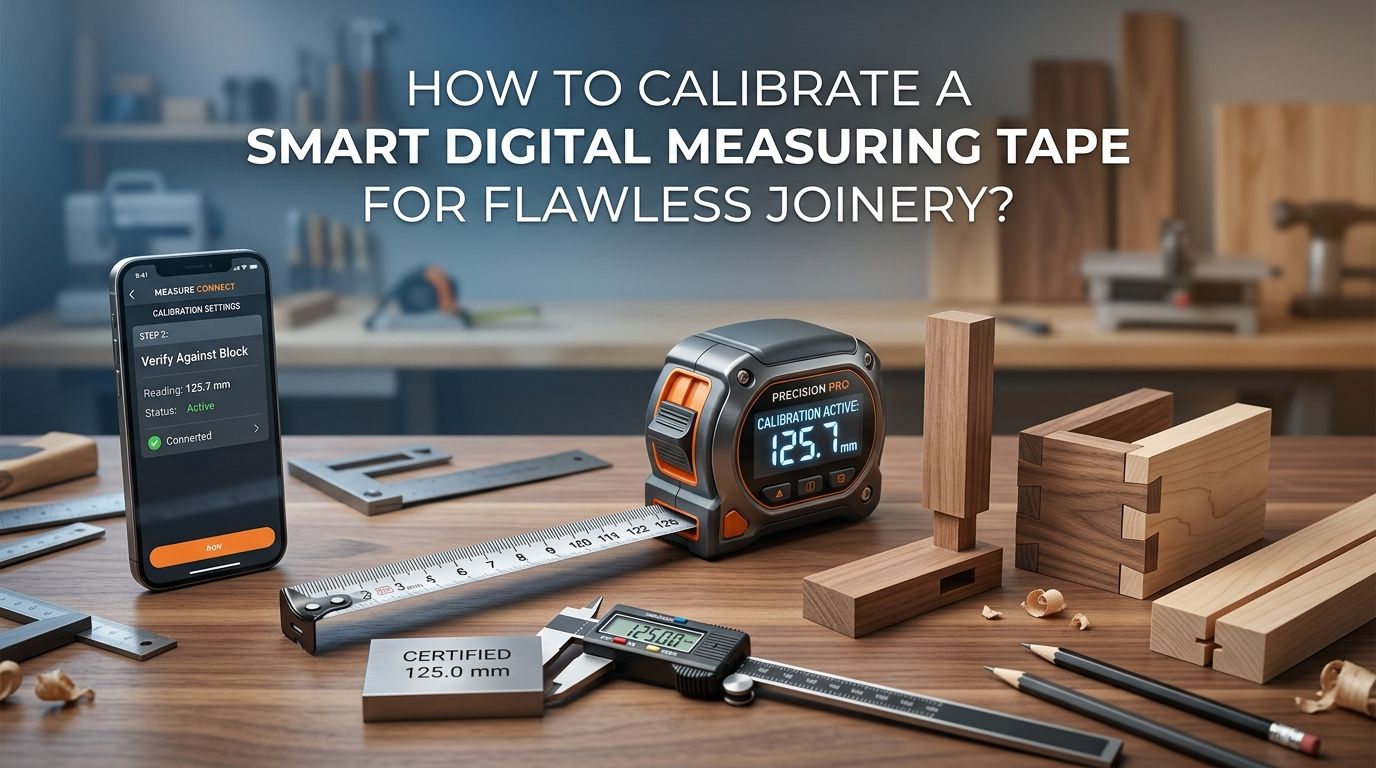
How to Calibrate a Smart Digital Measuring Tape for Flawless Joinery?
Every woodworker knows the frustration of joints that do not line up. You double check your measurements, cut with confidence, and still end up with a gap that should not be there.
The problem might not be your skill. It might be your smart digital measuring tape. These modern tools promise speed and precision, but they still need proper calibration to deliver accurate results.
A miscalibrated digital tape can throw off your readings by 1/32 of an inch or more, and in fine joinery, that tiny error ruins everything.
In a Nutshell
- Check your zero point first. The most common source of error in any digital measuring tape is a drifted zero reference. Before every major project, verify that your tool reads exactly zero when the blade is fully retracted or pressed against a flat surface.
- Use a known reference standard for comparison. Always compare your digital tape against a certified reference, such as a precision steel rule or a calibration block. This tells you exactly how far off your readings are and whether the error is consistent across different lengths.
- Reset or adjust through the device menu. Most smart digital tapes include a calibration function in their settings menu. You can access this to set a new zero point, apply offset corrections, or run a full recalibration sequence following the manufacturer’s instructions.
- Environmental conditions matter more than you think. Temperature changes cause metal tape blades to expand or contract. Always calibrate in the same temperature range where you do your woodworking, ideally between 65 and 75 degrees Fahrenheit.
- Calibrate at multiple points, not just one. A tape that reads correctly at 12 inches might be off at 48 inches. Check accuracy at several intervals, such as 6 inches, 12 inches, 24 inches, and 48 inches, to catch errors that grow over distance.
- Keep firmware and batteries fresh. Low battery voltage can cause erratic digital readings. Outdated firmware may have known measurement bugs. Update your device regularly and replace batteries before they drop below optimal voltage.
Why Calibration Matters for Precision Joinery
Joinery demands extremely tight tolerances. A dovetail joint, a mortise and tenon, or a box joint must fit within fractions of a millimeter. Even a small measurement error compounds across multiple cuts and creates visible gaps or joints that will not hold together.
Smart digital measuring tapes are popular because they display exact numbers on a screen. This removes the guesswork of reading tiny lines on a traditional tape. However, the digital display only shows what the sensor calculates, and sensors can drift over time.
Regular calibration keeps your tool honest. It also builds your confidence in every measurement you take. When you know your tape reads true, you can focus on your craft instead of second guessing your numbers.
Professional woodworkers calibrate their tools before every major project. This simple habit saves hours of rework and prevents wasted material. It is one of the easiest ways to improve your joinery quality immediately.
Understanding How Smart Digital Tape Measures Work
A smart digital measuring tape uses an optical or magnetic encoder attached to the blade. As you pull the tape out, the encoder tracks how far the blade has traveled. A microprocessor converts that distance into a number displayed on the LCD or LED screen.
Some models also include Bluetooth connectivity. They can send measurements directly to a smartphone app or a project management tool. This is useful for logging dimensions and reducing transcription errors.
The accuracy of the tool depends on the encoder, the quality of the blade, and the zero reference point. If any of these components shifts or degrades, your readings will be off. The digital display may still look precise, but precision without accuracy is meaningless.
Understanding this basic mechanism helps you troubleshoot calibration problems. You know exactly where errors can enter the system, and you know which part of the calibration process addresses each potential issue.
Gathering the Right Tools Before You Start
You need a few items to calibrate your digital tape accurately. First, get a certified precision steel rule or a known reference standard. A machinist’s rule graduated in 1/64 inch increments works well for fine joinery.
Second, find a flat, stable surface. A granite surface plate is ideal, but a clean, flat workbench also works. The surface must be level so neither tool sags or bows during comparison.
Third, have your device manual ready. Each smart digital tape model has its own calibration menu and procedure. Skipping the manual often leads to incorrect adjustments that make accuracy worse instead of better.
Finally, keep fresh batteries on hand. Low batteries can cause the digital readout to behave unpredictably. Replace them before starting calibration so you get consistent results throughout the process.
Pros of gathering proper tools first: You avoid repeated calibration attempts and save time. Your results are trustworthy from the start.
Cons of skipping this step: You risk introducing new errors during calibration. You may waste an hour only to discover your reference itself was unreliable.
Setting and Verifying the Zero Point
The zero point is the foundation of every measurement your digital tape takes. If zero is off by even half a millimeter, every single reading you take will carry that error.
Start by fully retracting the blade into the housing. Check the display. It should read exactly 0.000 inches or 0.0 millimeters. If it shows any other number, your tape needs a zero reset.
Most smart digital tapes have a dedicated zero button. Press and hold it for two to three seconds while the blade is fully retracted. The display should reset to zero. Some models require you to press the blade flat against a surface and then trigger the zero function.
Test the zero reading three or four times in a row. Extend the blade slightly, retract it, and check the display each time. Consistent zero readings confirm the reset worked. If the number fluctuates, the encoder or the blade connection may have a mechanical issue that needs professional attention.
Comparing Measurements Against a Known Standard
After zeroing, you need to verify accuracy across several distances. Place your precision steel rule flat on the workbench. Extend your digital tape alongside it and compare readings at 6 inches, 12 inches, 24 inches, and 48 inches.
Write down the difference between the digital tape reading and the steel rule at each point. A healthy tape will show zero deviation or an error within 1/64 inch at each interval. If you see the error growing as distance increases, the encoder may need recalibration.
This comparison method is simple and extremely effective. Professional metrology labs use the same principle, just with higher precision reference tools.
Pros of this method: It catches both constant offset errors and progressive scaling errors. It requires minimal equipment.
Cons of this method: It depends on the accuracy of your reference tool. A cheap ruler can introduce its own errors. Always use a certified or NIST traceable reference when possible.
Using the Built In Calibration Menu
Most smart digital measuring tapes include a calibration or setup menu in their software. Access this through the device buttons or through the companion smartphone app, depending on your model.
The calibration menu usually offers two options. The first is a zero offset adjustment, which corrects constant errors. The second is a span or scale adjustment, which corrects errors that change over distance.
Follow the manufacturer’s step by step instructions exactly. Some models ask you to measure a calibration block of a known width and enter the actual value so the device can calculate the correction factor. Others use a guided wizard that walks you through the entire process on screen.
After running the calibration routine, repeat your comparison against the reference standard. The readings should now fall within acceptable tolerances. If they do not, run the calibration process a second time. Persistent errors may indicate a hardware problem.
Accounting for Temperature and Environmental Factors
Metal tape blades expand in heat and contract in cold. A blade calibrated at 72 degrees Fahrenheit may read slightly long in a hot garage or slightly short in a cold workshop. This thermal expansion effect is real and measurable.
For fine joinery, calibrate your tape in the same environment where you will do your cutting and assembly. If your workshop temperature swings by more than 10 degrees during the day, recalibrate or at least recheck your zero point when conditions change.
Humidity does not affect the metal blade directly, but it can affect the wood you are measuring. Keep your reference standards and your digital tape stored in a dry location to prevent corrosion or electrical issues.
Some high end smart tapes include a temperature sensor and apply automatic corrections. If your tape has this feature, make sure it is enabled in the settings menu.
Checking and Updating Firmware
Smart digital measuring tapes run on firmware, the internal software that controls the encoder, display, and Bluetooth functions. Manufacturers release firmware updates to fix known bugs, improve accuracy algorithms, and add new features.
Check the manufacturer’s website or companion app for available updates. Connect your tape via Bluetooth or USB, depending on the model, and follow the update instructions. Always fully charge or install fresh batteries before updating firmware to avoid an interrupted update that could corrupt the device.
After a firmware update, run a full calibration check. The update may reset your previous calibration settings to factory defaults. Verify zero, compare against your reference standard, and adjust as needed.
Pros of keeping firmware current: You benefit from improved accuracy and new features. Known measurement errors from older software versions get fixed.
Cons of firmware updates: Updates can reset calibration settings. Rare but possible glitches during the update process may require a factory reset.
Calibrating for Inside Versus Outside Measurements
Digital tapes measure in two modes. Outside measurements involve hooking the tape end on an edge and pulling. Inside measurements involve pressing the tape housing against one surface and the blade tip against the opposite surface.
Each mode uses a different reference point. Outside mode references from the hook tip. Inside mode references from the housing base. If the housing width stored in the device software is incorrect, all inside measurements will be wrong.
Verify the inside measurement function by measuring a known opening, such as a doorway or a machined slot with a certified width. Compare the digital reading to the actual dimension. If they differ, check the device settings for a housing offset value and correct it.
Many joinery tasks require inside measurements, such as fitting shelves, drawer bottoms, and panel inserts. Getting this calibration right prevents repeated fitting errors that waste material and time.
Maintaining Long Term Accuracy
Calibration is not a one time event. Your digital tape needs regular checks to stay accurate. A good rule is to verify calibration every month if you use the tape daily, or before each new project if you use it less often.
Store your tape in a protective case, away from direct sunlight, moisture, and extreme temperatures. Avoid dropping the tape, as impacts can shift the encoder or damage internal sensors. Retract the blade slowly instead of letting it snap back, because the impact can bend the hook and shift the zero reference.
Clean the blade periodically with a soft, dry cloth. Sawdust and wood shavings can jam the encoder mechanism and cause erratic readings. A little preventive care goes a long way in keeping your measurements trustworthy for years.
Replace batteries on a schedule, not just when the low battery warning appears. Voltage drops gradually, and accuracy can degrade before the warning triggers.
Troubleshooting Common Calibration Problems
Sometimes calibration does not go smoothly. Here are the most frequent issues and their solutions.
Fluctuating zero readings usually mean a dirty or damaged encoder. Clean the blade path and check for debris inside the housing. If the problem persists, contact the manufacturer.
Consistent offset at all distances indicates the zero point needs resetting. Use the zero function or the calibration menu to correct the offset.
Growing error over distance suggests the encoder scale factor is off. Use the span calibration function in the device menu to correct this, or measure with a calibration block as instructed by the manufacturer.
Display freezing or showing random numbers typically points to a low battery or a firmware glitch. Replace the battery first. If the issue continues, perform a factory reset and recalibrate from scratch.
Do not force a calibration that will not settle. Persistent issues after multiple calibration attempts often mean a hardware failure that requires professional repair or replacement.
When to Seek Professional Calibration Services
Some situations call for professional help. If your joinery project has very tight tolerances, such as musical instrument building or custom furniture with glass panel inserts, a professional calibration lab can verify your tape to NIST traceable standards.
Professional services use laser interferometers and controlled temperature environments. They provide a calibration certificate with documented accuracy at multiple measurement points. This certificate can be important if your work must meet industry or client specifications.
Professional calibration typically costs between $25 and $75 depending on the tape type and the lab. It is a small investment compared to the cost of ruined materials from a bad measurement.
Pros of professional calibration: Highest possible accuracy. Documented and certified results. Expert detection of subtle hardware issues.
Cons of professional calibration: Adds cost and time. You must ship or bring the tape to the lab. Not necessary for most hobbyist woodworking projects.
Building Calibration Into Your Joinery Workflow
The best way to maintain flawless joinery is to make calibration a habit, not an afterthought. Add a quick zero check to the beginning of every shop session. It takes 30 seconds and catches drift before it ruins a cut.
Keep your reference standard stored near your digital tape. When both tools live in the same drawer, you are more likely to compare them regularly.
Log your calibration results in a simple notebook or spreadsheet. Over time, this log reveals patterns. You might discover your tape drifts more in winter or after heavy use. Those patterns help you predict when calibration is needed before an error shows up in your joinery.
Treat your smart digital measuring tape as a precision instrument, not just a shop tool. The same tape that measures a rough 2×4 also measures the delicate shoulder of a tenon. Calibration ensures it performs equally well for both tasks.
Frequently Asked Questions
How often should I calibrate my smart digital measuring tape?
Calibrate your tape at least once a month if you use it daily. For occasional use, a calibration check before each new project is a good practice. Always recalibrate after dropping the tape, changing batteries, or updating firmware. Frequent checks take only a few minutes and prevent measurement errors from compounding across your project.
Can I calibrate a digital measuring tape without special tools?
Yes, you can perform a basic calibration using a high quality steel rule or a known reference object. A 12 inch or 24 inch machinist’s rule with fine graduations works well. The key is that your reference tool must be more accurate than the digital tape you are checking. Avoid using another tape measure as a reference, since it may carry its own errors.
What accuracy should I expect from a calibrated smart digital tape?
Most smart digital measuring tapes provide accuracy within 1/16 inch over 25 feet after proper calibration. For shorter distances used in joinery, you can achieve accuracy within 1/32 inch or better. NIST Handbook 44 states that a 6 foot tape should be accurate to within 0.79 millimeters. A well calibrated digital tape meets or exceeds this standard.
Does temperature really affect my digital tape’s accuracy?
Yes. Metal tape blades expand in warm conditions and contract in cold conditions. This effect is small but measurable, especially over longer distances. For fine joinery work, always calibrate in the same temperature range where you will use the tape. A 20 degree Fahrenheit temperature swing can introduce enough error to affect tight fitting joints.
Should I use the same tape for every measurement in a project?
Absolutely. Using a single calibrated tape for all measurements in one project eliminates inconsistencies between tools. Even two perfectly calibrated tapes can have slight differences. Stick with one tape from start to finish to keep all your cuts and joints aligned with the same reference baseline.

Hi, I’m Leah Ray — the voice behind CraftBench Vault. I’m a passionate woodworking enthusiast dedicated to reviewing the best wood cutting tools and woodworking products. Through honest research and hands-on experience, I help fellow crafters make smarter buying decisions. Welcome to my workshop!