Why Is My Jig Saw Blade Bending and Cutting at an Angle?
A jig saw should feel simple. You guide the saw, follow the line, and expect a clean edge. Then the cut comes out crooked. The top looks fine, but the bottom leans off to one side. That problem is frustrating, and it can ruin good wood fast.
The good news is that an angled cut usually has a clear cause. In most cases, the blade is flexing, the shoe is out of square, the feed pressure is too hard, or the blade is wrong for the job.
You do not need guesswork. You need a few checks and the right cutting method. This guide will walk you through the real reasons your jig saw blade bends and the simple fixes that help you get straight, clean cuts again.
In a Nutshell
- A bending blade usually means deflection, not a bad cut line. The blade often starts straight, then twists under pressure inside the wood. That twist makes the bottom of the cut drift away from the top. This is very common in thick wood, hard wood, and fast cuts.
- The blade choice matters more than most people think. A thin scrolling blade is great for tight turns, but it bends easily in thick stock. A wider, thicker wood blade stays straighter. The trade off is simple. Wide blades cut straighter, but they turn less easily. Thin blades turn better, but they flex more.
- Too much force is a major cause. Many people push the saw forward or twist it sideways to stay on the line. That extra pressure bends the blade inside the cut. Let the saw cut at its own pace. Keep the shoe flat. Guide the tool instead of forcing it.
- Your saw setup can also create angled cuts. The shoe may be slightly off from 90 degrees. The blade may not be seated well in the clamp. The guide roller may be worn, dry, or loose. A quick setup check before each cut can save a lot of wasted material.
- The orbital setting changes control. High orbital action cuts faster in wood, but it can also add vibration and reduce accuracy. Straight cutting mode gives better control for clean cuts, finish work, and tight curves. Fast is not always better if the blade keeps wandering.
- Sometimes the best fix is to change tools. A jig saw is excellent for curves and rough shaping. It is less ideal for long, dead straight cuts in thick material. In that case, a circular saw, band saw, or table saw may give a better result with less effort and less waste.
What an angled jig saw cut is really telling you
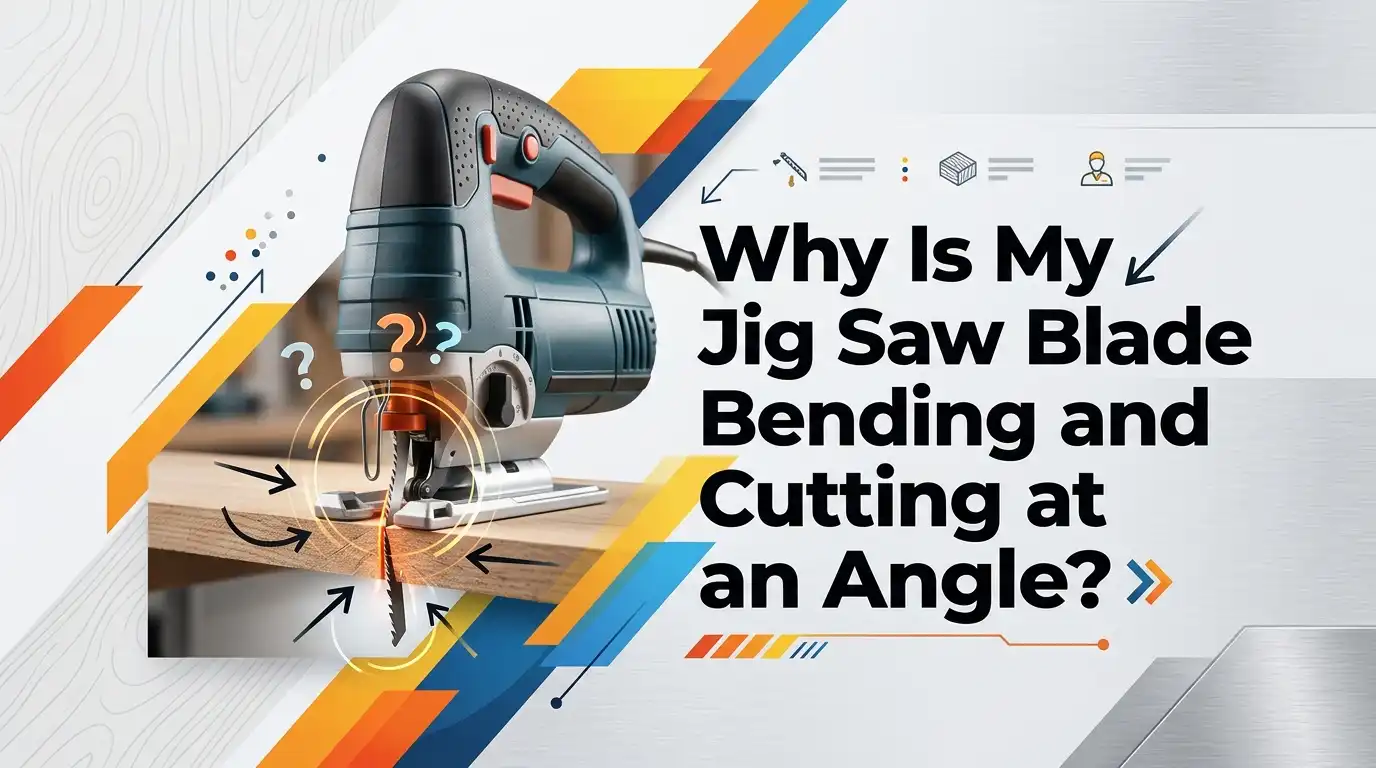
If your jig saw cut leans to one side, the blade is usually not traveling straight through the full thickness of the material. The top of the blade may follow the line, but the lower part bends away. That means the blade is deflecting inside the cut.
This problem often shows up in wood that is thick, dense, or wet. It also appears when you try to turn too sharply with a blade that is too wide, or when you try to cut straight with a blade that is too thin. The cut may look fine at first glance, but the edge reveals the truth.
A bent cut does not always mean the saw is broken. In many cases, it means the blade, the setup, or the cutting method is wrong for the material.
That is good news because those problems are fixable. Once you know that the blade is being pushed off line inside the cut, you can start solving the real cause instead of blaming your eyes or your cut line.
The wrong blade is often the biggest reason
Blade choice is one of the first things to check. Many jig saw problems begin with using a blade that is too narrow, too thin, too fine, or just made for a different material. A scrolling blade can turn sharply, but it often bends in thicker boards. A wider blade resists flex and holds a straighter path.
Use a thicker, wider wood cutting blade for straight cuts or for boards with more depth. Use a fine blade only when the finish matters and the material is thin enough for that blade to stay stable. Match the blade to the job, not just to the saw.
Pros: A wider and heavier blade usually tracks straighter, cuts with less wander, and gives better results in thicker stock. Cons: It does not like tight curves, and it can feel slower in detailed work.
If you want tighter turns, switch to a narrow blade. If you want square edges, switch to a stronger blade. That one change fixes a lot of angled cuts before they start.
A dull or damaged blade will push itself off line
A dull blade does not cut cleanly. It rubs, heats up, and starts fighting the wood. Once that happens, you instinctively push harder. That extra force bends the blade and makes the cut lean. A damaged blade makes the problem even worse because it already has a weak or uneven path.
Take the blade out and inspect it in good light. Look for missing teeth, heat marks, bending, or a twist near the shank. Even a small bend can turn a clean cut into a slanted mess. If the blade looks suspect, replace it. Blades are cheaper than wasted material.
A fresh blade also clears dust and chips better. That matters because trapped chips can push the blade sideways inside the kerf. Pros: A new blade cuts faster, stays cooler, and needs less pressure. Cons: You may go through blades more often if you cut hard material, but that is still better than fighting a bad blade.
If you are not sure, test a new blade on scrap first. The result will usually tell you a lot in seconds.
Thick or hard material makes a thin blade flex fast
The deeper the cut, the harder it is for a jig saw blade to stay true. Thin blades are long and narrow. That shape helps them turn, but it also makes them easy to bend. In thick hardwood, plywood stacks, or construction lumber, the lower part of the blade can drift even if the top looks perfect.
If you are cutting thick stock, slow down and use a blade with more backbone. Keep your expectations realistic too. A jig saw is great for many jobs, but it has limits. A six inch curve in thin plywood is easy. A square edge through thick oak is much harder.
Pros: Using a heavier blade and a slower feed gives better control and a squarer edge. Cons: The cut may take longer, and very tight shapes become harder.
If the material is very thick, make a relief cut first or cut just outside the line and clean up the edge later. In some cases, the smartest move is to stop and use a different saw. That is not failure. That is good tool judgment.
Too much feed pressure and side pressure will twist the blade
A jig saw works best when you guide it with a light hand. Trouble starts when you push too hard or twist the saw to force it back to the line. That pressure bends the blade in the opposite direction. The top may still look close to the mark, but the bottom edge drifts badly.
Try this simple rule. Move the saw forward only as fast as the blade can clear waste and keep cutting without strain. If the motor sounds loaded, or the blade starts to chatter, slow down. Keep your wrist, forearm, and saw body lined up with the cut. Do not steer with force. Steer with patience.
Pros: A slower feed gives cleaner edges, better control, and less blade deflection. Cons: It can feel too slow at first, especially if you are used to rough cuts.
Stand in a way that lets your arm move naturally with the line. That small change often helps more than people expect. Good body position keeps you from pushing sideways without noticing it.
Your shoe may be slightly out of square
Sometimes the blade is fine, but the shoe is not set at a true 90 degree angle. Many jig saws allow bevel cuts, and the base can get knocked out of position after storage, transport, or a previous angled cut. If the shoe is off even a little, the saw will cut at an angle even with perfect technique.
Unplug the saw or remove the battery. Set the shoe to zero. Then check it with a small square against the blade. Make sure you are checking the blade body, not the teeth. If it is off, reset the base and lock it down firmly. Never trust the printed mark alone. Always verify with a square.
Pros: Resetting the shoe is fast, free, and often solves a mystery cut right away. Cons: Some lower priced saws may slip again and need regular checking.
This is one of the easiest fixes, so do it early. A blade cannot cut square if the saw body is already leaning before the cut begins.
A loose guide roller or blade clamp can let the blade wander
Most jig saws rely on a guide system near the blade to keep it stable. If the blade is not seated fully in the clamp, or if the back of the blade is not supported by the guide roller, the blade has room to flex. That extra movement shows up as angled cuts, blade chatter, or wandering in curves.
Remove the blade and reinstall it carefully. Push it in all the way. Make sure it locks firmly. Check that the blade sits where the guide system can actually support it. If your saw uses a roller guide, inspect it for wear, looseness, or dryness. A worn guide cannot control a moving blade well.
Pros: A correct blade install and a healthy guide system improve tracking without changing your cutting method. Cons: If the clamp or roller is worn out, the real fix may require parts or service.
Also clean out packed sawdust around the clamp area. Dirt can stop the blade from seating fully, and that creates problems before the cut even starts.
Orbital action and speed settings can help or hurt
Orbital action changes how the blade moves. In straight cutting mode, the blade moves up and down. In orbital mode, it also moves in a more aggressive path. That helps it cut wood faster, but it can also reduce control and increase vibration. For rough cuts in soft wood, that may be fine. For clean, square cuts, it often works against you.
If your blade keeps bending, turn orbital action down or off. Use straight cutting mode for finish work, harder wood, tighter curves, and anything where accuracy matters more than speed. Pair that with a moderate blade speed and a steady feed.
Pros: Straight mode gives better control, smoother cuts, and less deflection. Cons: It cuts slower and may clear chips less aggressively in soft wood.
Higher orbital settings do have a place. They work well for fast rough cuts in wood. But if your main complaint is an angled edge, start with control, not speed. That simple change often makes the saw feel much easier to manage.
Poor work support can pull the blade off track
A blade can also bend because the workpiece moves, sags, or vibrates during the cut. If the board is poorly supported, the kerf can pinch the blade. That pinch creates drag and pushes the blade off line. Thin sheet goods can rattle. Long pieces can dip under their own weight. Both problems affect cut accuracy.
Support the work on both sides of the cut when possible. Clamp the board well. Keep the waste side free so it can fall away without trapping the blade. For cutouts, think about how the offcut will move before you start. A stable board helps the blade stay stable.
Pros: Better support improves safety, control, and cut quality right away. Cons: It takes a little more setup time and extra clamps.
You should also keep the shoe flat on the material through the full cut. If the shoe tips up, even a good blade can start bending. A flat shoe and a stable board give the saw a much easier job.
Use this quick setup check before every cut
A fast routine before each cut saves time later. Start by checking the blade. Make sure it is sharp, straight, and right for the material. Next, confirm that the blade is fully seated and supported by the guide system. Then check the shoe with a square and make sure it is locked at 90 degrees.
After that, look at your settings. If you want accuracy, lower the orbital action. Set a speed that feels controlled, not wild. Clamp the work well and plan how the waste piece will move. Finally, make a short test cut on scrap from the same material. That test tells you more than guesswork ever will.
Pros: This method is simple, fast, and stops many problems before they start. Cons: It adds a few minutes to setup, but it often saves much more time in rework.
Good cuts come from good habits. A one minute check is easier than fixing a ruined board.
The best method changes for straight cuts, curves, and finish cuts
Different cuts need different methods. For a straight cut, use a wider blade, low or no orbital action, and a slow steady feed. If needed, guide the saw along a straightedge, but do not push the saw hard into the guide. Let it ride gently while the blade cuts. That reduces side load.
For curves, choose a narrower blade, slow down, and make relief cuts on tight turns. Relief cuts remove waste and help the blade turn without twisting. For finish cuts, stay just outside the line and clean the edge after. That approach is safer for the final shape.
Pros of a straightedge: better line control and more repeatable cuts. Cons: it does not stop blade deflection if the blade or technique is wrong.
Pros of relief cuts: easier turning and less blade stress. Cons: it adds steps.
There is no single best method. The best method is the one that matches the cut you are making.
Sometimes the best fix is to use a different saw
A jig saw is a very useful tool, but it is not the best tool for every job. If you need a long straight cut in thick wood, a circular saw with a guide is often easier. If you need accurate curves in thicker stock, a band saw may track better. If you need perfect square edges in repeat work, a table saw is usually the stronger option.
This matters because many people blame the jig saw when the real problem is the task. You can solve a lot of frustration by matching the tool to the cut. That does not mean the jig saw is weak. It means it has a clear strength.
Pros of switching tools: straighter cuts, faster work, and less sanding later. Cons: you may need more setup space or another tool.
If the jig saw keeps bending in the same material after you fix the blade, pressure, shoe, and settings, step back. The smart answer may be a different saw, not a harder push.
FAQs
Why does my jig saw cut straight on top but not on the bottom?
That usually means the blade is deflecting inside the material. The top of the blade follows your line, but the lower part bends away under pressure. Thick stock, dull blades, thin blades, and fast feed rates cause this often. Start with a fresh, wider blade and slow the cut down.
Should I turn orbital action off for straighter cuts?
Yes, in many cases that helps. Straight cutting mode gives you more control and less aggressive blade movement. That makes it better for clean cuts, finish work, and tighter curves. Orbital action is useful for faster rough cuts in wood, but it can make deflection worse if you already have control issues.
Can a cheap blade really cause an angled cut?
Yes. A low quality blade may flex more, wear faster, or have uneven teeth. All of those problems can push the blade off line. A better blade usually feels smoother, cuts cooler, and needs less force. The blade is a small part, but it has a big effect.
How do I know if the shoe is out of square?
Set the bevel back to zero and check the shoe with a small square against the blade body. Do this with the saw unplugged or the battery removed. Do not judge by the printed bevel mark alone. If the shoe is off, reset it and lock it firmly before cutting again.

Hi, I’m Leah Ray — the voice behind CraftBench Vault. I’m a passionate woodworking enthusiast dedicated to reviewing the best wood cutting tools and woodworking products. Through honest research and hands-on experience, I help fellow crafters make smarter buying decisions. Welcome to my workshop!